How To Fix Smart Backpack Solar Panel Not Charging Devices?
You packed your smart backpack, stepped outside into bright sunlight, and expected your devices to charge. But nothing happened. Your solar panel just sits there, and your phone stays at the same battery percentage.
This is a frustrating problem, and you are definitely not alone. Many people run into solar charging issues with their smart backpacks, especially when they are new to using solar gear.
The good news is that most of these problems have simple fixes. The issue could be a compatibility mismatch, a panel not getting direct sunlight, or a power bank that simply needs a longer initial charge before it works properly.
This article walks you through the most common reasons your smart backpack solar panel stops working. You will also learn practical troubleshooting steps you can follow right now, including how to test your setup and avoid the most frequent mistakes people make.
Let’s get your gear working the way it should.
In a Nutshell
Sunlight exposure matters most. Your solar panel needs direct, unobstructed sunlight to generate enough power to charge devices.
Compatibility is a common culprit. Not all battery packs work with every solar charger, so mismatched components are a frequent cause of charging failure.
Always pre-charge before field use. Some setups require 24 or more hours of initial charging before they perform reliably outdoors.
A multimeter can save you time. Testing voltage across your battery pack tells you quickly whether the issue is the panel, the battery, or the connection.
Your device may not be dead. Devices in a low-power state can appear completely unresponsive, even when they are actually receiving a small charge.
Check cables, ports, and panel positioning. Dirty connections, damaged cables, and poor panel angles are simple problems that are easy to overlook.
How Smart Backpack Solar Charging Systems Actually Work
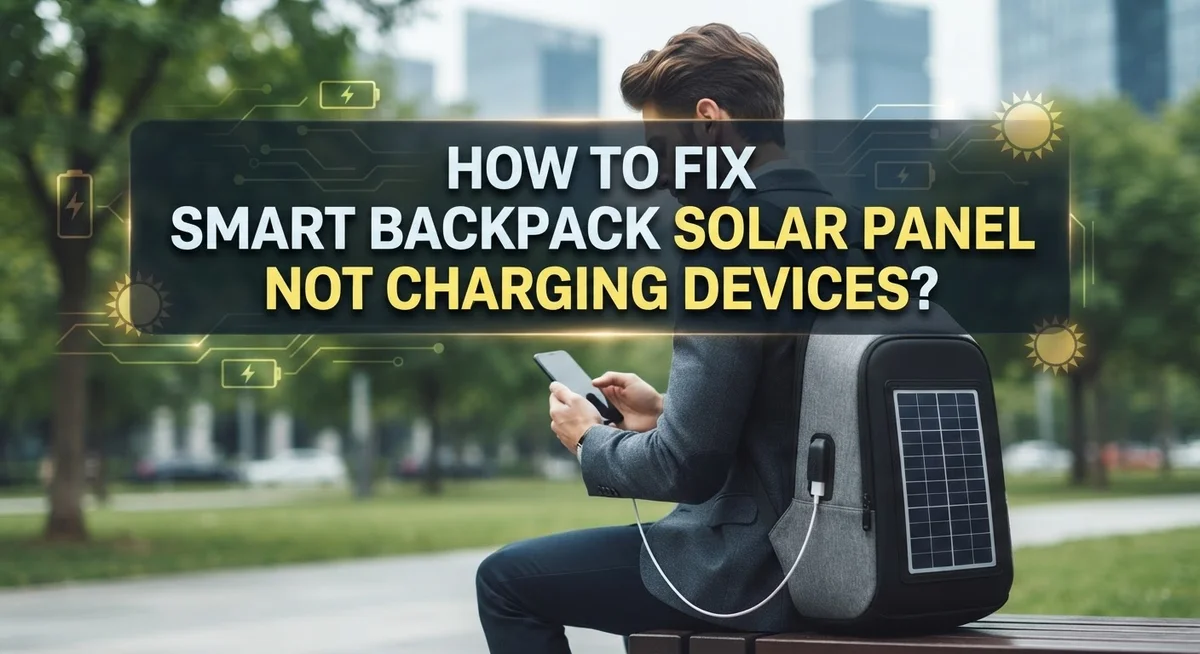
Smart backpack solar charging systems work by converting sunlight into electrical current. The solar panels contain photovoltaic cells that capture light energy and transform it into usable power for your devices.
Here is how the process flows. Solar panels generate voltage when exposed to direct sunlight. This voltage travels through a built in charge controller, which regulates the power output. The controller prevents overcharging and protects your battery pack from damage. Without this regulation, excessive power could destroy your battery cells.
The power then flows into a battery pack or power bank stored inside your backpack. This battery acts as a storage container for the energy your solar panel creates. Your devices then draw power from this battery when you need to charge them.
Temperature affects efficiency significantly. Solar panels work best in moderate conditions. Extreme heat or cold reduces their output. Cold temperatures slow chemical reactions inside the cells, while excessive heat causes energy loss.
Cloud cover and panel angle also impact charging speed. Thick clouds block most sunlight and slow charging dramatically. The angle of your panel matters too. When panels face directly toward the sun, they capture maximum light energy.
Most systems include a USB output port for connecting your phone, tablet, or other devices. Some advanced backpacks have multiple ports so you can charge several items simultaneously. The battery pack inside stores enough power to continue charging even when sunlight is unavailable.
Understanding these mechanics helps you troubleshoot problems effectively. You will know what to check first and why certain conditions affect performance. This knowledge makes fixing charging issues much faster and easier.
Common Reasons Your Solar Panel Backpack Is Not Charging Devices
Your solar panel backpack may stop charging devices for several specific reasons. Let’s look at the most common culprits so you can identify what’s happening with your setup.
Insufficient sunlight exposure is the primary issue. Solar panels need direct, unobstructed sunlight to generate adequate power. Clouds, shade, and indoor lighting all reduce output significantly. Even partial shadows across the panel can cut charging efficiency in half.
Battery pack incompatibility causes many charging failures. Not every battery pack works with every solar charger. Some systems use different connector types or voltage requirements that don’t match. Connecting incompatible components may prevent charging entirely or damage the battery.
Low initial charge levels affect performance dramatically. Many solar systems require 24 or more hours of pre charging before they work reliably in the field. Using your backpack immediately after purchase often leads to disappointment. The battery needs adequate charge stored before it can deliver power to your devices.
Temperature extremes reduce solar panel efficiency. Cold weather slows chemical reactions inside batteries. Heat causes panels to work less efficiently. Moderate conditions between 50 and 85 degrees Fahrenheit work best for most systems.
Dirt and debris on the panel surface block sunlight from reaching the cells. Dust, pollen, and fingerprints reduce output. A clean panel works significantly better than a dirty one.
Device compatibility issues also matter. Some phones and tablets require specific charging currents that your solar system cannot provide. Older devices especially may not recognize the power source as legitimate.
Connection problems between components prevent power flow. Loose cables, corroded connectors, and damaged ports all interrupt charging. Check every connection point carefully before assuming the system is broken.
How To Test If Your Solar Panel Is Generating Power
Testing your solar panel is the fastest way to confirm whether it actually generates power. You don’t need expensive equipment or special training. A simple multimeter gives you accurate results in seconds.
Start by placing your solar panel in direct sunlight. Position it flat and make sure no shadows fall across the surface. Wait about 5 minutes for the panel to reach stable output. Sunlight needs to hit the cells directly, not at an angle.
Set your multimeter to the DC voltage setting. Most solar panels output between 5 and 20 volts depending on their size and design. Touch the red probe to the positive terminal and the black probe to the negative terminal on your solar panel.
Read the voltage display on your multimeter screen. If you see a number above zero, your panel generates power successfully. A reading of zero or very low voltage (below 1 volt) indicates a problem with the panel itself.
Record the voltage reading you get. This number becomes your baseline. Test again in different sunlight conditions to see how the output changes. Stronger sunlight produces higher voltage readings.
If your panel passes the voltage test, the problem lies elsewhere. Check your battery pack next using the same multimeter method. Test the connections between your panel and battery pack for loose wires or corrosion.
A working solar panel should show consistent voltage output in good sunlight. If you get zero reading after multiple tests, your panel may have internal damage. Contact the manufacturer about replacement options if testing confirms a faulty panel.
Step-by-Step Troubleshooting Guide for Solar Backpack Charging Issues
Start by checking if your battery pack is actually compatible with your solar backpack. Many charging failures happen because the battery and solar panel use different connector types or voltage standards. Look at the specifications for both components to confirm they match.
Next, test your battery pack with a multimeter. Set the device to DC voltage mode and touch the probes to the battery terminals. A healthy battery should show voltage output. If it reads zero or very low, your battery pack may need an initial charge from a wall outlet before it works with solar power.
Allow your battery pack to charge fully from a standard electrical outlet for at least 24 hours. Some battery packs enter a low power state and won’t respond to solar charging until they receive an initial boost. This step is critical and often overlooked.
Check all physical connections between your solar panel and battery pack. Loose connectors prevent power from flowing through. Push connectors firmly into place and inspect for bent pins or corrosion.
Clean your solar panel surface thoroughly. Dirt, dust, and debris block sunlight from reaching the cells. Use a soft cloth and mild water to wipe the panel gently.
Position your solar panel in direct sunlight for at least two to three hours. Cloudy conditions and indirect light significantly reduce charging speed. Angle the panel flat toward the sun for maximum exposure.
Test your backpack in a controlled environment first. Connect a device with a known working battery to see if power flows through. This identifies whether the problem is with your battery pack, solar panel, or the device you’re trying to charge.
How To Check and Fix Compatibility Between Solar Panels and Battery Packs
Compatibility between your solar panel and battery pack is essential for successful charging. Many charging failures happen because these two components simply don’t work together properly.
Start by identifying your battery pack specifications. Look for the voltage rating and amperage output listed on the device. Your solar panel must match these specifications. A panel designed for 5V output won’t work correctly with a 12V battery pack.
Check the connector types on both components. Solar panels use various connector standards. Your battery pack may use a different connector entirely. Mismatched connectors prevent power from flowing between devices, even if voltage levels match perfectly.
Test your battery pack with a multimeter before assuming it’s broken. Set your multimeter to DC voltage mode. Touch the red probe to the positive terminal and the black probe to the negative terminal. Record the voltage reading. A functioning battery pack should show voltage output matching its specifications.
Allow your battery pack to charge fully using a standard electrical outlet for at least 24 hours before field testing. Many battery packs ship in a low power state. This extended pre charge period activates internal circuits properly.
Verify device compatibility by checking manufacturer documentation. Some battery packs work with specific solar panel brands only. Others accept power from any compatible voltage source. Know which type you own.
Inspect all physical connections between your solar panel and battery pack. Loose connections block power transfer completely. Tighten all connectors securely. Look for corrosion or debris on connector pins. Clean them gently with a dry cloth if needed.
Test your setup in a controlled environment first. Place your solar panel in direct sunlight indoors near a window. Connect your battery pack properly. Wait several hours before checking if charging occurred. This controlled test reveals compatibility problems safely.
How To Properly Pre-Charge and Maintain Your Solar Backpack System
Your solar backpack system needs proper setup before you use it in the field. Pre-charging is your first critical step. Connect your battery pack to a standard wall outlet and let it charge for at least 24 to 48 hours before connecting it to your solar panel. This initial charge activates the battery’s internal circuitry and prepares it for solar input.
During this pre-charge period, avoid using your devices. Let the battery reach full capacity without interruption. Many users make the mistake of testing their system too early, which leads them to think something is broken when the battery simply needs more time.
After pre-charging completes, inspect all physical connections carefully. Look for loose cables, bent connectors, or debris blocking the charging ports. Dust and dirt accumulate easily on connectors and reduce charging efficiency significantly.
Maintenance keeps your system working reliably. Clean your solar panel surface weekly using a soft, dry cloth. Remove any dust, pollen, or bird droppings that block sunlight. Store your backpack in a cool, dry place when not in use.
Check your battery pack monthly using a multimeter set to DC voltage mode. This tells you if your battery holds a charge properly. If the voltage reading is zero or extremely low, your battery may need replacement.
Keep your solar panel away from extreme temperatures and moisture. Store cables loosely without tight coils that damage internal wires. Replace worn connectors immediately to prevent power loss.
Rotate your battery pack usage if you have multiple packs. This extends their lifespan and prevents one pack from degrading faster than others. Regular maintenance prevents most charging problems before they start.
Common Mistakes That Prevent Your Solar Backpack From Charging Devices
Many people make simple mistakes that stop their solar backpack from working properly. Understanding these errors helps you charge your devices successfully.
The first mistake is skipping the initial charging phase. Your battery pack needs a full charge from a wall outlet before you use it with solar panels. This activates internal circuits and prepares the battery for operation. Jumping straight to solar charging without this step often fails.
Another common error is connecting incompatible components. Solar chargers work only with specific battery packs. Mismatched voltage ratings or connector types prevent charging. Always verify that your solar panel output matches your battery pack input before connecting them.
People often assume their device is broken when it’s actually in low power mode. A battery can appear dead but still hold a charge. This confusion leads to unnecessary replacements. Testing with a multimeter reveals the true status.
Positioning mistakes reduce charging speed significantly. Solar panels need direct sunlight, not shade or indirect light. Placing your backpack indoors near a window produces minimal results. Outdoor placement in full sun for several hours works best.
Neglecting physical connections causes charging failures too. Loose cables or dirty connectors block power flow. Check that all connections fit snugly and wipe connector pins clean.
Many people also ignore environmental factors. Extreme heat or moisture damages battery packs and solar panels. Storing your backpack in harsh conditions reduces lifespan and performance.
Finally, rushing the process causes problems. Charging takes time, especially in cloudy weather. Expecting instant results leads to frustration and incorrect troubleshooting. Patience and proper setup prevent most charging issues.
When To Seek Professional Help or Contact the Manufacturer
Contact the manufacturer when your troubleshooting efforts don’t resolve the charging issue. Most companies provide customer support through email, phone, or online chat services. Have your purchase receipt and product serial number ready before reaching out.
Explain the exact problem you’re experiencing. Tell them what steps you’ve already taken. Share the voltage readings from your multimeter if you tested the battery. This information helps them diagnose the issue faster.
Request a warranty evaluation if your solar backpack is still within the coverage period. Many manufacturers cover defects in materials and workmanship for one to two years. Explain when you purchased the product and describe any physical damage you’ve noticed.
Ask about replacement options if the device is faulty. Some companies send replacement components or entire units. Others may offer repair services at reduced costs. Get this information in writing before sending anything back.
Seek professional repair services if the manufacturer no longer supports your model. Local electronics repair shops can test your battery pack and solar panel components. They can identify internal failures that aren’t visible from the outside.
Document everything during this process. Keep emails, support ticket numbers, and dates of all communications. Take photos of your product and any damage. This documentation protects you if you need to file a warranty claim or dispute.
Consider whether professional repair costs make sense for your situation. Sometimes purchasing a new system proves more practical than expensive repairs. Compare the repair estimate against replacement prices before deciding.
Don’t attempt to open sealed battery packs yourself if they’re still under warranty. This action typically voids your coverage and creates safety risks.
Final Thoughts
A solar backpack charging system can work very well once you understand how it operates. Most charging problems come from a few simple causes that are easy to fix once you identify them.
Start with the basics every time. Check your solar panel angle, inspect all cable connections, and confirm that your components are compatible with each other.
Voltage testing with a multimeter is one of the most reliable ways to know if your battery pack is actually working. Never assume a device is dead without testing it first.
Always allow enough pre-charge time before taking your system into the field. A battery pack that hasn’t been properly charged will fail you when you need it most.
Compatibility between your solar panel and battery pack matters more than most people realize. Mismatched components will not charge efficiently, no matter how much sunlight is available.
Keep your panel clean, positioned correctly, and free from shade during charging hours. Small adjustments to panel angle can make a noticeable difference in power output.
Document any problems you notice and track how your system performs over time. This helps you spot patterns and fix issues faster.
If basic troubleshooting doesn’t work, contact your manufacturer before attempting any internal repairs. Warranty coverage can save you time and money.
The goal is a reliable system that charges your devices whenever you need power on the go. With the right habits and a clear understanding of how the system works, most people resolve their charging issues quickly and keep their solar backpack running smoothly for years.
Frequently Asked Questions
Why isn’t my solar backpack charging my phone even though the panel is in direct sunlight?
Several things could stop charging from working. First, check if your battery pack has enough power stored inside it. The solar panel might be collecting energy, but the battery needs a full charge before it can share power with your phone. Second, verify that your charging cable works properly by testing it with another device. Third, make sure your phone’s charging port isn’t blocked by dust or debris. Finally, confirm that your battery pack and phone are actually compatible with each other.
How long should I charge my solar backpack before using it for the first time?
Most solar backpacks need 24 to 48 hours of initial charging before field use. This pre charge period is critical because the battery pack needs time to reach full capacity. Sunlight alone might not be enough for this first charge, so plug it into a wall outlet if possible. Skipping this step is one of the biggest mistakes people make. Your system won’t work well if you rush this process.
Can I use a multimeter to check if my battery pack is actually working?
Yes, a multimeter is your best friend here. Set it to measure voltage and touch the probes to the battery terminals. You’ll get a reading that tells you if the battery has power. Many people assume their device is dead when it’s actually just in low power mode. A voltage test gives you the real answer without guessing.
What should I do if nothing works after trying these fixes?
Contact the manufacturer with details about your problem. Explain exactly what you’ve tried and what happened. Ask if your backpack is still under warranty. They can evaluate whether the device needs replacement or repair. Document everything you’ve done during troubleshooting to help them assist you faster.

Hi, I’m Siya — the founder and writer behind Craftifyy.com. I’m a tech enthusiast who loves reviewing gadgets, comparing products, and helping people make smarter buying decisions. Got a question? Feel free to reach out!