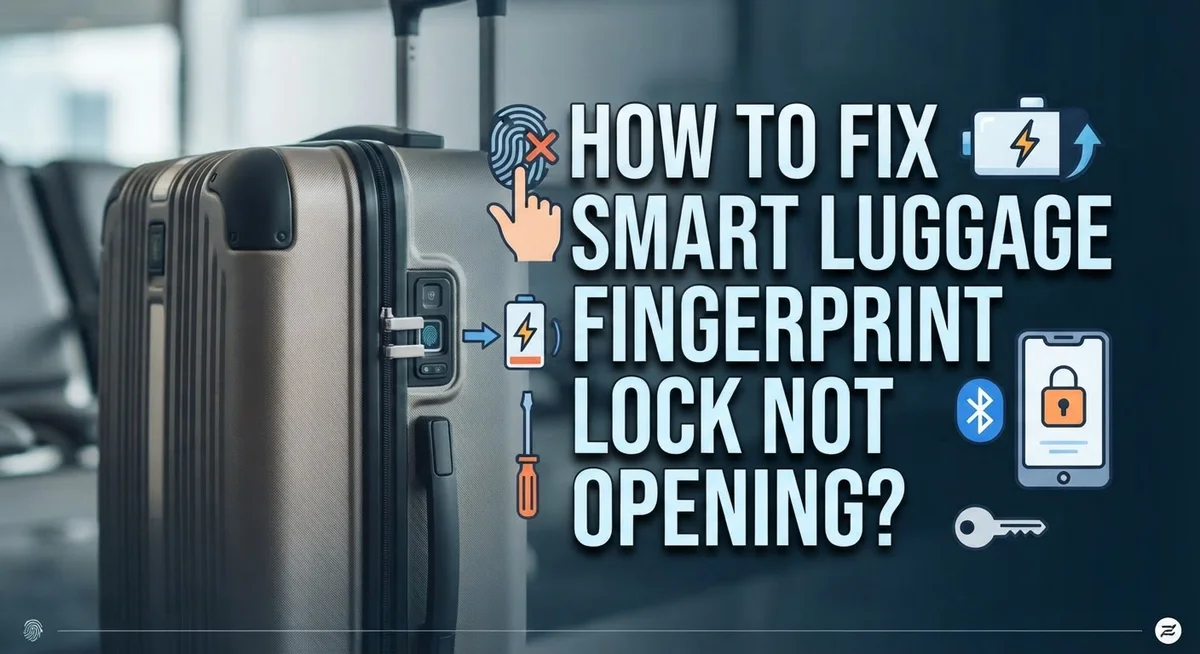
How To Fix Smart Luggage Fingerprint Lock Not Opening?
Your smart luggage fingerprint lock won’t open, and your flight is in a few hours. That sinking feeling is real, and you are definitely not alone in this situation.
Fingerprint locks on smart luggage can fail for several reasons. Dead batteries, a dirty sensor, or a failed enrollment are the most common culprits. The good news is that most of these problems are fixable without professional help.
This guide walks you through every step to get your lock working again. You will learn how to clean the sensor properly, reset the lock using the pinhole button, and re-enroll your fingerprint from scratch.
In a Nutshell
- Dead or low batteries are the most common reason a fingerprint lock stops working. Always check power first before trying anything else.
- A dirty sensor can prevent your fingerprint from being read correctly. Wipe the sensor clean with a dry cloth before diagnosing further.
- Failed fingerprint enrollment means the lock never saved your print properly. You may need to re-enroll after a reset.
- Resetting the lock involves pressing and holding a small pinhole button, usually found on the bottom or side of the lock, for 5 to 10 seconds until you hear a beep or see a flash.
- Always confirm your batteries are fresh before starting a reset. The lock needs consistent power to complete the process successfully.
- Your physical backup key is your safety net. If all troubleshooting steps fail, use the key to open your luggage without damaging it.
Why Your Smart Luggage Fingerprint Lock Stops Working
Smart luggage fingerprint locks fail for a few specific reasons. Understanding what causes the problem helps you fix it faster.
Battery issues are the leading culprit. Your lock runs on batteries, and they drain over time. A low or dead battery means the lock cannot power up to read your fingerprint. Even if the lock beeps or shows a light, weak batteries may not provide enough energy to complete the unlock process.
A smudged or dirty sensor ranks second on the problem list. Your fingerprint scanner needs a clean surface to work properly. Dust, moisture, lint, or fingerprint oils build up on the sensor over weeks of travel. The lock cannot recognize your print when the sensor is covered.
Failed fingerprint enrollment occurs when the lock never saved your fingerprint correctly during setup. You may have enrolled your finger too quickly, at the wrong angle, or with inconsistent pressure. The lock then rejects your print every time you try to open it.
Lock reset failures happen when you attempt to reset without proper conditions. The lock needs fresh batteries and a steady power supply to complete a reset. Without these, the reset process stops halfway, leaving your lock stuck.
Mechanical wear and tear can also cause problems. Locks used frequently may develop internal issues. The fingerprint reader components can malfunction after extended use or rough handling during travel.
Most issues stem from batteries or sensor cleanliness. These two factors account for the vast majority of fingerprint lock failures. Start by checking your battery level and cleaning your sensor thoroughly before moving to more complex solutions.
Before You Begin: What You Need to Check First
Start by gathering what you need for this troubleshooting session. You should have fresh batteries on hand, a soft cloth or cotton swab, and your physical backup key nearby.
Check your batteries first. Most fingerprint locks use standard AA or AAA batteries. Open the battery compartment and inspect them. Look for corrosion around the terminals. If the batteries look old or corroded, replace them immediately. This single step fixes the majority of lock failures.
Locate your reset button. The reset button is a small pinhole, usually found on the bottom or side of your lock. You might need a paperclip or small pin to access it. Take a moment to find it before proceeding further.
Gather your backup key. Your physical key is your emergency backup. Have it ready in case electronic troubleshooting doesn’t work. Knowing you have this option reduces stress during the process.
Clean your sensor thoroughly. Use a soft, dry cloth to gently wipe the fingerprint sensor area. Smudges, dust, or debris prevent proper recognition. Wipe in one direction, then use a clean section of cloth. Do this gently to avoid damaging the sensor surface.
Check your enrollment status. Try to remember if you successfully enrolled your fingerprint when you first set up the lock. If you’re unsure, assume enrollment failed. This helps you understand what to expect during reset.
Ensure good lighting. Move to a well lit area. Good lighting helps you see the small reset button clearly and work more accurately.
Now you’re ready to begin the actual troubleshooting steps.
How to Clean and Inspect the Fingerprint Sensor
Your fingerprint sensor needs regular attention to work properly. Think of it like the camera lens on your phone. When it gets dirty, it cannot read anything clearly.
Start by gathering soft materials. You need a clean, dry cloth. Microfiber cloths work best because they do not leave lint behind. Avoid paper towels since they can scratch the sensor surface.
Gently wipe the sensor area with your dry cloth. Use light pressure and circular motions. Do this for about 10 to 15 seconds. The goal is to remove dust, oils, and fingerprints that build up over time.
Pay special attention to the edges around the sensor. Dirt often collects in these small crevices. Use the corner of your cloth to reach these tight spots. Be patient and thorough during this step.
After cleaning, inspect the sensor closely. Look for any cracks, scratches, or damage on the surface. A damaged sensor may need professional repair or replacement. Check if the sensor still feels smooth to the touch.
Test your fingerprint lock after cleaning. Press your finger on the sensor and wait for a response. You should hear a beep or see a light flash if it works. If nothing happens, the sensor may have deeper issues.
Repeat the cleaning process if the lock still does not respond. Sometimes multiple cleaning sessions are needed for stubborn residue. Keep your sensor clean going forward by wiping it monthly.
A clean sensor is your first line of defense against lock failures. This simple maintenance step prevents many problems before they start. Regular cleaning saves you time and frustration later.
Step-by-Step Guide to Resetting Your Fingerprint Lock
Your fingerprint lock needs consistent power to complete a reset successfully. Start by confirming your batteries are fresh and properly installed. Most smart luggage locks use standard AA or AAA batteries that drain over time. Replace them with new ones before you attempt any reset procedure.
Locate your reset button next. This small pinhole sits on the bottom or side of your lock. You’ll need something thin and pointed to access it, like a straightened paperclip or a small tool. Have this ready before you begin.
Press and hold the reset button for 5 to 10 seconds. You should hear a beep or see a light flash. This confirms the reset process has started. The beep or flash is your signal that the lock is responding to your command.
Hold steady during the entire reset. Do not release the button early. The lock needs continuous pressure to complete the reset cycle. Moving your hand away stops the process mid reset.
Wait for the lock to finish. Some locks beep twice or flash multiple times to signal completion. Others go silent after the initial response. Check your lock’s manual to know what to expect.
After the reset completes, your fingerprint lock returns to its factory state. This means you must re enroll your fingerprint. Follow the enrollment process as if you were setting up the lock for the first time.
Keep your physical backup key nearby during this entire process. If the reset fails or your lock malfunctions, your key is your only way inside your luggage. Never throw away or lose this emergency backup.
How to Re-Enroll Your Fingerprint After a Reset
After you reset your fingerprint lock, the device returns to factory settings. Your fingerprint data is completely erased. You now need to enroll your fingerprint again so the lock recognizes you.
Start by making sure your batteries are fresh and fully charged. A weak battery can cause enrollment to fail partway through. Your lock needs consistent power to complete this process successfully.
Locate the enrollment button on your lock. This is typically different from the reset button. Check your lock’s manual to find the exact location. Press and hold this button until you see a light flash or hear a beep. This signals that the lock is ready to accept a new fingerprint.
Place your finger on the sensor when prompted. Press gently and hold steady. Do not move your finger around. The sensor needs a clean, complete image of your fingerprint to work properly.
The lock will ask you to scan your finger multiple times. This is normal and necessary. Scan the same finger each time. Different fingers have different patterns, so consistency matters here.
Wait for the lock to confirm successful enrollment. You should hear a beep or see a green light. Some locks display a message on a small screen.
Test your newly enrolled fingerprint immediately. Try unlocking the luggage several times to confirm it works. If the lock does not respond, clean the sensor again and repeat the enrollment process.
Keep your physical backup key in a safe place. Even after successful enrollment, having a backup key protects you if the fingerprint system fails again.
How to Use Your Physical Key as an Emergency Backup
Your physical key serves as your most reliable emergency backup when your fingerprint lock refuses to open. This mechanical solution works independently of batteries, electronics, or sensor problems. Keep your key in a separate location from your luggage at all times.
Locate your key slot first. Most smart luggage locks have a traditional keyhole positioned near the fingerprint sensor or on the lock’s side. The slot is small and designed for your backup key specifically. Look carefully around the lock’s exterior to find it.
Insert your key slowly and carefully. Push the key straight into the slot without forcing it. Applying excessive pressure can damage both the key and the lock mechanism. Feel for gentle resistance as the key seats properly inside.
Turn the key with steady pressure. Rotate your key clockwise or counterclockwise, depending on your lock’s design. Most locks open with a full 180 degree turn. You should feel the lock disengage when turned correctly.
Pull your zipper open once unlocked. After the key turns successfully, your lock disengages. Gently pull your luggage zipper to open the compartment. Your belongings remain safe and accessible.
Store your backup key wisely. Keep your physical key separate from your luggage. Consider storing it in your carry on bag, wallet, or with a trusted travel companion. Never pack your backup key inside the locked luggage itself.
Test your key before traveling. Practice using your key at home to confirm it works smoothly. This prevents frustration if you need emergency access during your trip. Your physical key remains your ultimate failsafe solution when technology fails.
Common Mistakes to Avoid When Troubleshooting
Many people make critical mistakes when their fingerprint lock stops working. These errors often make the problem worse instead of better.
The biggest mistake is attempting a reset with low or dead batteries. Your lock needs consistent power to complete the reset process successfully. If your batteries are weak, the reset will fail halfway through. Always check and replace your batteries first before you try anything else.
Another common error is skipping the sensor cleaning step entirely. People jump straight to resetting the lock when the real issue is simply a dirty sensor. Smudged fingerprints, dust, and debris block the scanner from reading your finger properly. Clean the sensor thoroughly with a soft, dry cloth before you do any troubleshooting.
Don’t reset your lock without confirming you can re-enroll your fingerprint afterward. Some users reset their lock but then discover they cannot add their fingerprint back into the system. This leaves you locked out with no way to open it. Make sure you understand the enrollment process before you reset.
Many people also ignore their physical key backup option. Your physical key is your most reliable emergency solution. Keep it stored separately from your luggage in case your fingerprint system fails completely.
Rushing through the reset button press is another mistake to avoid. You must press and hold the reset button for the full 5 to 10 seconds. Pressing it quickly will not work. Wait for the beep or light flash that signals the reset has started.
Finally, avoid forcing any part of the lock mechanism. Excessive pressure can damage the internal components permanently. Patience and gentle handling protect your lock from further damage.
When Basic Fixes Do Not Work: Last Resort Options
When your fingerprint lock continues to fail despite basic troubleshooting, you have reached the point where more aggressive action becomes necessary. At this stage, your options narrow significantly, but solutions still exist.
Your first last resort option involves performing a complete factory reset of your lock mechanism. Locate the small reset button, typically found on the bottom or side of your lock housing. This button sits inside a tiny pinhole and requires a pointed object to access. Press and hold this button for 5 to 10 seconds until you hear a beep or see a flash of light. This confirms the reset has initiated successfully.
Important: Your lock must have fresh batteries installed before attempting any reset. A low battery cannot complete the reset cycle, leaving your lock in a broken state.
After the reset completes, your lock returns to factory settings. You must re-enroll your fingerprint from scratch. Follow your lock’s enrollment process carefully, scanning your finger multiple times when prompted. Test the newly enrolled fingerprint immediately to confirm it works.
If the reset fails or your lock still refuses to respond, your physical backup key becomes essential. Insert your key into the keyhole slowly and turn it with steady pressure. This mechanical method bypasses all electronic components entirely.
If you have lost your physical key and the reset fails, you face a true emergency. At this point, contact the luggage manufacturer’s customer support team. They can provide replacement keys or advise on professional lock removal. As an absolute last resort, some users carefully puncture the zipper with a pin to access their luggage contents. This destroys the lock but preserves your belongings and luggage integrity.
Final Thoughts
A fingerprint lock that won’t open is frustrating, but most problems have simple solutions. Start with the basics before assuming the worst.
Clean the sensor first. A smudged or dirty fingerprint reader causes more failures than any other issue. This one step alone fixes many lock problems.
Always check your batteries before anything else. Low power is the second most common cause of fingerprint lock failure. Fresh batteries solve the problem quickly and completely.
If cleaning and battery replacement don’t work, re-enrollment is your next step. Many locks fail simply because the saved fingerprint data has become corrupted or incomplete.
The reset button is your most powerful tool. It is usually a small pinhole on the bottom or side of the lock. Press and hold it for 5 to 10 seconds until you hear a beep or see a flash.
Never attempt a reset with weak batteries. Your lock needs full, consistent power to complete the reset process successfully.
After any reset, always re-enroll your fingerprint carefully. Press your finger firmly and consistently during the enrollment process to create a strong, reliable scan.
Your physical backup key is not optional. Keep it accessible at all times, especially during travel. It is your safety net when everything else fails.
Most smart luggage fingerprint lock failures are completely fixable with the steps covered in this guide. Battery issues, dirty sensors, and failed enrollments cover the vast majority of real-world problems.
Stay patient, work through each step in order, and you will resolve the issue without needing professional help in most cases.
Frequently Asked Questions
Why won’t my fingerprint lock open even after I cleaned the sensor?
A clean sensor is step one, but other issues may still exist. Check your batteries first. Low power prevents the lock from recognizing your fingerprint, even if the sensor is spotless. Replace batteries with fresh ones and try again. If that doesn’t work, your fingerprint data may have corrupted. You’ll need to re-enroll your fingerprint through the lock’s setup menu.
What should I do if I forgot my enrollment PIN or combination?
Your physical backup key is your best option here. Use it to open the lock manually. If you’ve lost the key, you’ll need to perform a factory reset. Find the small reset button on the bottom or side of your lock. Press and hold it for 5 to 10 seconds until you hear a beep or see a light flash.
Can I reset my lock if the batteries are low?
No. This is a critical mistake to avoid. Your lock needs full, consistent power to complete any reset. A low battery will cause the reset to fail halfway through, leaving your lock stuck. Always install fresh batteries before attempting any reset procedure.
What happens after I press the reset button?
Your lock returns to factory settings. The beep or flash confirms the reset started successfully. After this, you must re-enroll your fingerprint. The lock won’t recognize any previous fingerprint data. Set up your fingerprint again through the enrollment process.
Is there a last resort if nothing works?
Yes. Your physical backup key is your emergency option. If you’ve lost it and the lock still won’t open, contact the luggage manufacturer for help. They can provide replacement keys or additional troubleshooting steps specific to your model.

Hi, I’m Siya — the founder and writer behind Craftifyy.com. I’m a tech enthusiast who loves reviewing gadgets, comparing products, and helping people make smarter buying decisions. Got a question? Feel free to reach out!