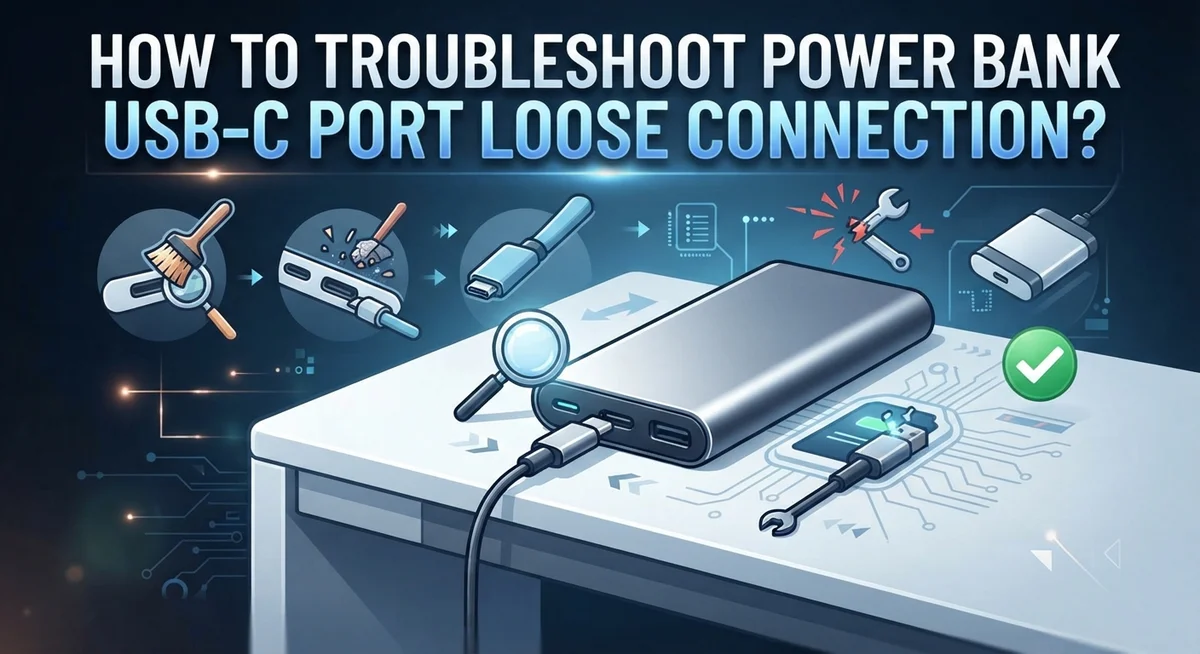
How To Troubleshoot Power Bank USB-C Port Loose Connection?
A loose USB-C port on your power bank is frustrating. You plug in your cable, and it just wobbles around or falls out completely. Charging stops working, and you are left with a dead device.
This is actually a very common problem. It happens across many brands and models. Wear and tear, debris buildup, and daily use all contribute to a port that no longer holds a cable snugly.
The good news is that you do not always need to replace your power bank right away. Many loose connection issues can be fixed at home with simple steps.
In this guide, you will learn exactly how to troubleshoot a loose USB-C port on your power bank. We cover everything from cleaning out debris to adjusting your cable connector for a better fit.
By the end, you will know whether a quick fix will solve your problem or if a replacement is the better option.
In a Nutshell
- A loose USB-C port is usually caused by debris buildup, normal wear and tear, or a cable that no longer fits snugly.
- Cleaning the port first is always the smartest starting point before trying anything else.
- You can lightly crimp the center of the cable connector to improve grip, but avoid applying too much pressure or you risk damage.
- Adjusting the cable angle can temporarily restore a working connection while you figure out the best fix.
- Never force a cable into a loose port. This can make the problem significantly worse and may damage internal components.
- If cleaning and light crimping do not work, replacing the power bank is likely the safer and more practical option.
Why Does a Power Bank USB-C Port Become Loose?
A USB-C port becomes loose for several clear reasons. Understanding these causes helps you fix the problem faster.
Debris and dust buildup is the most common culprit. Over time, lint, dust, and small particles accumulate inside the port. These materials prevent the cable connector from seating properly. The cable sits higher in the port than it should, creating a loose fit.
Normal wear and tear happens to every power bank. Each time you plug in your cable, the internal metal contacts and housing experience friction. After hundreds of connections, the port’s internal structure gradually widens. The cable connector no longer grips as tightly as it did when the power bank was new.
Cable connector degradation also plays a role. Your USB-C cable connector may have worn down slightly. The connector’s outer edges can flatten or become misshapen from repeated use. When a worn connector meets a worn port, the fit becomes even looser.
Manufacturing tolerances matter too. Some power banks have ports manufactured with slightly larger tolerances than others. This means the connector has more wiggle room from the start. Combined with normal use, this can accelerate looseness.
Improper cable insertion speeds up damage. If you’ve forced a cable in at odd angles or inserted it roughly, you may have bent the internal port contacts. Bent contacts cannot grip the connector firmly anymore.
The good news is that most loose connections result from debris or minor wear, not permanent damage. Cleaning your port removes the immediate problem in many cases. Understanding what caused the looseness helps you prevent it from happening again in the future. You can take steps to protect your power bank and extend its lifespan.
How To Identify a Loose USB-C Port Connection
A loose USB-C port connection shows clear signs you can spot yourself. Start by looking at how your cable sits in the port. A snug fit should feel secure and require gentle pressure to insert and remove. If your cable slides in too easily or feels wobbly, you have a loose connection.
Try plugging your cable in and moving it slightly side to side. A properly working port holds the cable firmly without movement. If the cable shifts or wiggles freely, the port has become loose. Pay attention to whether the connection feels different than when your power bank was new.
Check if your power bank charges inconsistently. A loose port often causes charging to start and stop without warning. You might notice the charging light flickers or the connection cuts out when you move the cable slightly. This behavior signals a loose port rather than a battery problem.
Examine the cable connector itself for damage. Look at the small metal pins inside the USB-C connector. If they appear bent, corroded, or worn flat, this can make the fit looser. Compare your cable to a new one if possible to spot obvious wear differences.
Listen for any rattling sounds when you gently shake your power bank. A loose internal component or port often creates a subtle rattle. This sound indicates the port may have separated slightly from the internal circuit board.
Test with a different USB-C cable if you have one available. If a new cable fits snugly and charges properly, your original cable is worn out. If both cables feel loose, the port itself needs attention. This simple test saves time by ruling out cable problems quickly.
How To Clean the USB-C Port to Restore a Snug Fit
Cleaning your USB-C port is the first and most effective step to restore a snug fit. Start by powering off your power bank completely. This keeps you safe while you work on the port.
Use a dry, soft-bristled brush or an old toothbrush to gently brush inside the port. Move the brush back and forth slowly to dislodge any dust, lint, or debris stuck inside. Many loose connections disappear after this simple cleaning.
If brushing alone doesn’t work, try using compressed air. Hold the power bank steady and spray short bursts of air directly into the port. Keep the can upright and maintain a safe distance to avoid liquid spray. The air pressure pushes out stubborn particles that a brush might miss.
For stubborn debris, you can use a wooden or plastic toothpick. Insert it gently into the port and carefully scrape the sides. Never use metal tools like paperclips or needles. Metal can scratch the internal contacts and cause permanent damage to your power bank.
After cleaning, inspect the port with a flashlight or bright lamp. Look for any remaining dust, corrosion, or visible damage inside. A clean port should look shiny and free of particles.
Now test your connection by inserting your USB-C cable slowly and carefully. The cable should slide in smoothly without resistance. If it still feels loose after cleaning, the issue may involve the connector itself rather than debris.
Let your power bank dry completely for at least 30 minutes before plugging in any cables. This prevents moisture from interfering with the connection. If you used compressed air, wait a bit longer to ensure no liquid residue remains inside the port.
Cleaning often restores your connection to normal. If the port still feels loose after thorough cleaning, you can move on to other troubleshooting methods.
How To Lightly Crimp the USB-C Cable Connector for a Tighter Grip
A light crimp on your USB-C cable connector can help restore a tighter grip inside your power bank port. This simple technique works because the connector becomes slightly compressed, allowing it to fit more snugly against the port’s internal contacts.
Start by examining your USB-C cable connector closely. Look for any visible wear or flattening on the sides. The connector should have a rectangular shape with slightly rounded edges. If it appears worn down, crimping can help restore some of that original thickness.
Use gentle, controlled pressure when crimping. Hold the cable connector firmly in one hand. With your other hand, use a small tool like a plastic-handled screwdriver or a crimping tool designed for electronics. Apply light pressure to the sides of the connector’s metal housing. You’re aiming to squeeze it slightly, not dramatically reshape it.
Focus on the middle section of the connector where it makes contact with the port’s internal pins. Avoid crimping the very edges or the top part where the cable enters the connector. This targeted approach reduces the risk of damaging important components.
Test your connection after each small adjustment. Insert the cable into your power bank’s USB-C port and check if it feels snugger. The cable should slide in smoothly without excessive wiggling. If it still feels loose, you can apply slightly more pressure and test again.
Stop crimping if the cable becomes difficult to insert. Over-crimping makes the connector too thick, and forcing it into the port causes real damage. The goal is a subtle improvement, not a dramatic change.
After crimping, monitor your power bank’s charging behavior over the next few days. If the connection holds steady and charges consistently, your fix worked. If problems return quickly, the port itself may need professional attention or replacement.
How To Use Cable Angle Adjustment as a Temporary Fix
When your USB-C cable fits loosely in your power bank port, adjusting the cable angle can help you find a position where the connection works. This method works as a quick fix while you plan a more permanent solution.
Start by inserting your USB-C cable into the port at different angles. Try tilting it slightly upward, then downward. Move it gently to the left and right as well. You’re looking for the angle where the cable sits snugly and your power bank starts charging.
Once you find the right angle, keep the cable in that position. You may need to use a small object like a rubber wedge or folded cloth to hold the cable steady at that angle. This prevents the cable from shifting and losing connection while your power bank charges.
Monitor your power bank during this process. Check if the charging indicator lights up. Listen for any buzzing sounds that might indicate a poor connection. If the light flickers, try adjusting the angle slightly more.
Important note: angle adjustment is temporary. It works best when combined with cleaning or crimping. Relying only on angle adjustment means you’ll need to reposition your cable every time you charge.
This method helps you keep using your power bank while you gather materials to clean the port properly or decide whether to replace the cable. It also helps you confirm that the problem is truly a loose connection and not a damaged cable or port.
Be patient with small adjustments. Sudden movements can damage both your cable and the port inside your power bank. Once you find the working angle, mark it mentally or with a small reference point on your power bank so you can return to it easily.
After a few days of angle adjustment, plan to clean your port thoroughly. This permanent solution takes only a few minutes and often fixes the loose connection completely.
When To Repair vs. When To Replace Your Power Bank
A loose USB-C port on your power bank doesn’t always mean you need to buy a new one. The right choice depends on what you’ve already tried and how your device performs.
Try repairs first if your power bank is relatively new. Most loose connections come from debris or minor wear. Start with cleaning your port thoroughly. Use a soft brush or compressed air to remove dust and lint. This simple step fixes many connection problems. Next, try a light crimp on your USB-C cable connector. This increases grip without damaging anything. If both methods work, your power bank is ready to use again.
Consider replacing your power bank if repairs don’t help after several attempts. Signs that replacement makes sense include a port that still feels loose after cleaning and crimping, a cable that falls out during charging, or intermittent charging that stops and starts randomly. These problems suggest internal damage beyond simple fixes.
Age matters too. If your power bank is several years old, replacement might be smarter than repair. Older batteries lose capacity over time anyway. A new power bank gives you better performance and reliability.
Think about cost effectiveness. Repairing involves your time and effort. If you spend hours troubleshooting a budget power bank, replacement could save you frustration. However, if you own a high capacity or expensive model, repairs are worth attempting.
Test your power bank for at least one week after repairs. Monitor whether the connection stays stable during normal use. If problems return quickly, replacement is the better path forward.
One final tip: document what you’ve already tried. This information helps you decide confidently. Keep notes on cleaning attempts, crimping results, and how long fixes lasted. This record shows whether your power bank is worth saving or ready for replacement.
Common Mistakes To Avoid When Fixing a Loose USB-C Port
When fixing a loose USB-C port, certain mistakes can make your problem worse instead of better. Understanding what to avoid saves you time and protects your power bank.
Forcing the cable into the port is the biggest mistake people make. A loose connection feels frustrating, so you might push harder. This damages the internal pins and makes the port completely unusable. Always use gentle, steady pressure when inserting your cable.
Over-crimping your connector happens when you squeeze too hard trying to tighten the fit. Your goal is a light adjustment, not a major reshape. Excessive crimping makes the connector too thick to insert smoothly. You could bend the pins inside your port permanently. Start with minimal pressure and test after each small attempt.
Ignoring debris buildup is another common error. Many people assume the port is damaged when dust or lint blocks the connection. Before you crimp anything, clean your port thoroughly. Debris is often the real culprit behind loose connections.
Skipping the angle adjustment test means you miss a quick solution. Before attempting repairs, try inserting your cable at different angles. Sometimes one position works better than others. This costs nothing and takes seconds.
Continuing to use a damaged port without addressing the issue causes more problems. Each time you force a loose connection, you stress the internal components further. Stop using that port if it feels wrong, and address the problem immediately.
Expecting permanent fixes from temporary solutions sets you up for disappointment. Angle adjustment and light crimping work temporarily. Plan to clean your port properly or consider replacement within a few days. These quick fixes buy you time, not permanent repairs.
Test each solution carefully before moving to the next one. Patience prevents costly mistakes.
Final Thoughts
A loose USB-C port on your power bank is a frustrating but fixable problem in most cases. The key is to stay patient and work through each step carefully before giving up.
Start with the simplest solution first. Cleaning out debris from the port takes only a few minutes and solves the problem more often than people expect. A small amount of lint or dust can completely disrupt a solid connection.
If cleaning alone doesn’t work, lightly crimping the cable connector is your next practical move. Remember to apply only gentle pressure. Over-crimping can damage your cable permanently and create a new problem.
Angle adjustment is a useful short-term strategy, but it should never replace a proper fix. Use it to keep things running while you prepare for a more thorough repair attempt.
Knowing when to stop repairing is just as important as knowing how to repair. If you’ve cleaned the port, adjusted the cable, and tried light crimping without success, replacement is the smarter choice.
Always test your power bank for several days after any repair. A connection that feels solid right after fixing can sometimes loosen again under regular use.
Document every step you take. This helps you avoid repeating the same attempts and gives you a clear picture of what has and hasn’t worked.
The most important takeaway is this: never force a cable into a loose port. That single mistake can turn a minor connection issue into serious internal damage.
A loose USB-C port doesn’t have to mean the end of your power bank’s life. With the right approach and a little patience, most users can restore a reliable connection without needing professional help or a full replacement.
Take care of your ports, and they will take care of you.
Frequently Asked Questions
Why does my USB-C port feel loose even with a new cable?
A loose port usually comes from internal wear or debris buildup inside the connector. The metal contacts inside can shift slightly over time, even on newer power banks. Dust and lint accumulate in the port opening and prevent your cable from seating properly.
Start by cleaning the port with a dry cloth or soft brush. Look inside with a flashlight to spot any visible debris. This simple step solves most loose connection problems.
Can I fix a loose USB-C port without opening the power bank?
Yes. You don’t need to disassemble anything for basic fixes. Cleaning the port is your first and safest option. Use a dry cotton swab or small brush to remove dust gently.
Next, try lightly crimping the cable connector. Squeeze the metal connector very gently between your fingers. This increases the grip without damaging the cable. Test the connection afterward to see if it improved.
How do I know if the problem is the cable or the port?
Test with a different USB-C cable if you have one available. If the new cable fits snugly, your original cable is worn out. If the new cable also feels loose, the port itself needs attention.
Try both cleaning and light crimping on the port. If neither helps with multiple cables, the port may have internal damage.
When should I stop trying to fix it and replace the power bank?
If cleaning and gentle crimping don’t improve the connection after two or three attempts, replacement makes more sense. Also consider the age of your power bank. Older units may not be worth the repair effort.
Test any repair for at least one week before deciding. Document what you’ve already tried so you have a clear picture of the problem.

Hi, I’m Siya — the founder and writer behind Craftifyy.com. I’m a tech enthusiast who loves reviewing gadgets, comparing products, and helping people make smarter buying decisions. Got a question? Feel free to reach out!