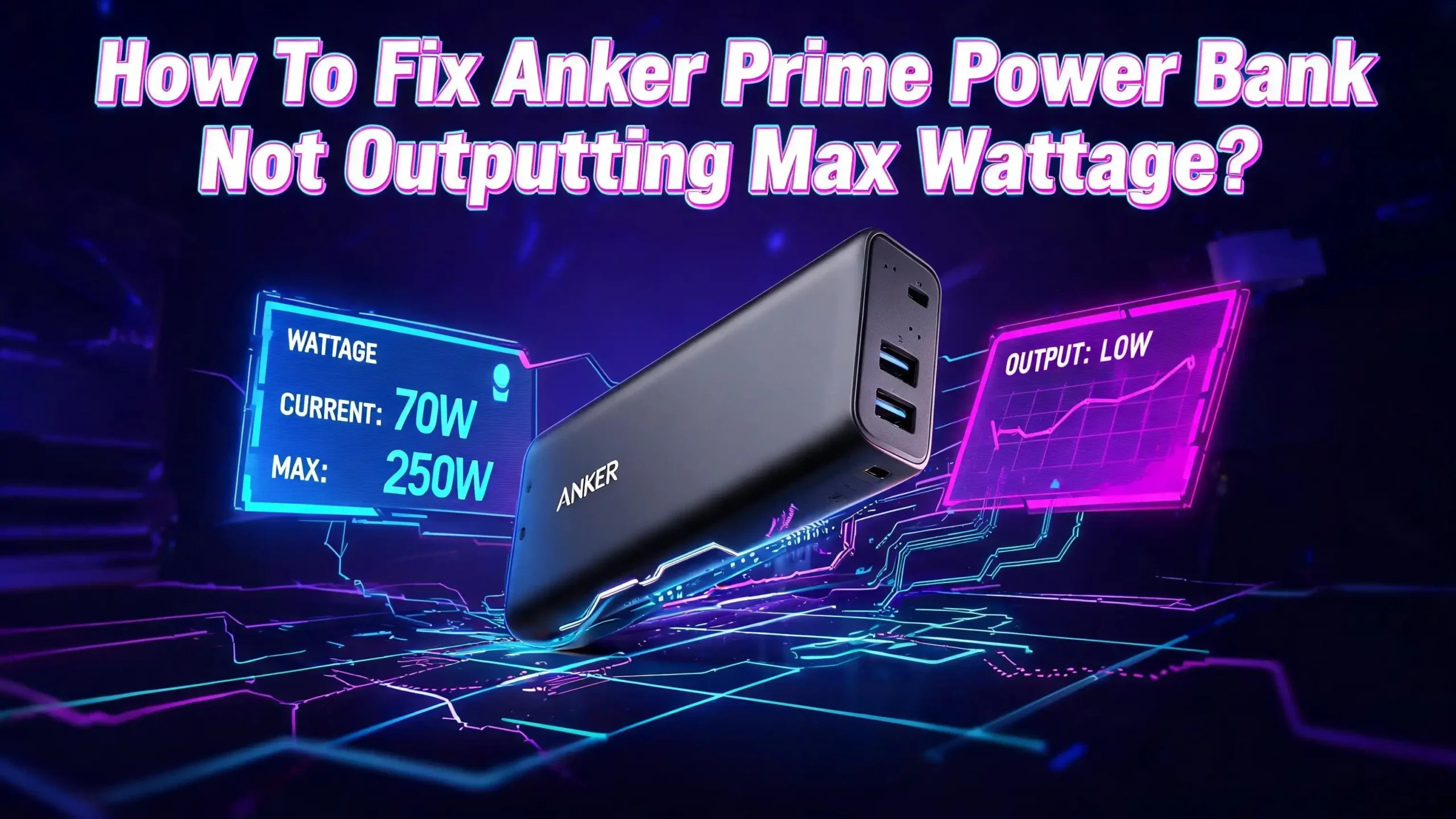
How To Fix Anker Prime Power Bank Not Outputting Max Wattage?
You spent good money on the Anker Prime Power Bank expecting blazing fast charging speeds. The box says 250W or 300W. The display on the unit tells a different story. Your laptop pulls only 65W. Your phone barely hits 14W. Something feels very wrong.
The good news? Most of these issues have simple fixes you can do right now at home. Some are caused by cables. Others come from firmware glitches, temperature limits, or settings you never knew existed.
This guide walks you through every practical solution to get your Anker Prime Power Bank back to full output. We cover the 27,650mAh 250W model, the 20,100mAh 220W model, and the newer 26,250mAh 300W model. Each fix is tested and confirmed by real users and Anker support documentation.
In a Nutshell
- Your cable may be the bottleneck. Many USB C cables only support 60W or 100W. The Anker Prime needs a cable rated for USB PD 3.1 and 240W (or at least 140W) to deliver maximum output to laptops. Using the wrong cable silently limits your wattage without any error message.
- Temperature throttling is the most common hidden cause. The Anker Prime automatically reduces output when its internal temperature exceeds 48°C. This is a safety feature built into the ActiveShield 2.0 system. High ambient temperatures or prolonged heavy use will trigger this reduction every time.
- Your device controls how much power it draws. A power bank does not push wattage into a device. The device requests what it needs. An iPhone maxes out around 27W. An Apple Watch draws about 2W to 5W. No power bank can force them to accept more.
- Firmware updates can fix output bugs. Anker regularly releases firmware patches through the Anker app. Outdated firmware has caused port failures, incorrect wattage readings, and throttling issues for many users. Always check for and install the latest firmware.
- A simple reset often restores full output. Plug both ends of a USB C cable into the input and output ports of the power bank simultaneously. Hold for 5 seconds. This resets the internal power management system and clears many output glitches.
- Multi device charging splits total wattage. The 250W total output is shared across all active ports. Connecting three devices means each one gets a fraction. The power bank automatically redistributes wattage based on each device’s needs and the total available power budget.
Understand the Actual Output Specs of Your Anker Prime Model
Before troubleshooting, you need to know what your specific Anker Prime model can actually deliver. Many users assume 250W goes to a single device. That number represents total combined output across all ports.
The Anker Prime 27,650mAh (A1340) offers up to 140W maximum from a single USB C port. The total output across all three ports combined reaches 250W. The newer 26,250mAh 300W model (A110A) also maxes out at 140W per single USB C port with 300W total across all ports.
The USB A port on these models delivers a maximum of around 22W. This port will never reach high wattage numbers regardless of what cable you use. Many users mistakenly connect their laptop to the USB A port and wonder why charging is slow.
Check the small print on Anker’s product page for your specific model. The 140W single port maximum requires USB Power Delivery 3.1 support from both the cable and the connected device. Without PD 3.1 on both ends, the maximum drops to 100W or even 60W depending on the negotiated power profile.
Understanding these numbers saves you from chasing a problem that does not exist. Your power bank may be working perfectly at its actual rated output for your specific device and cable combination.
Check Your USB C Cable Rating
The cable you use is the single most overlooked cause of low wattage output. Not all USB C cables are equal. A cable that looks identical to the included Anker cable might only support a fraction of the power.
USB C cables come with different power ratings. Standard cables handle 60W (3A at 20V). Better cables support 100W (5A at 20V). Premium cables rated for USB PD 3.1 support 240W (5A at 48V). The Anker Prime needs that top tier cable to deliver its maximum 140W single port output.
The cable included with your Anker Prime Power Bank is rated for the full output. Always use this cable first when testing output performance. If you lost the original cable, look for one that explicitly states support for USB PD 3.1 and EPR (Extended Power Range). The packaging or product listing should mention 240W or 48V capability.
A quick test confirms if your cable is the issue. Swap in the original Anker cable or another high rated cable. Watch the wattage display on the power bank. If the number jumps up, your old cable was the problem.
Also inspect the cable physically. Bent connectors, frayed insulation, or loose USB C plugs cause intermittent power drops. A cable that worked last month might have internal damage from bending or pulling. Replace any cable that shows physical wear.
Verify Your Device’s Maximum Charging Speed
Your Anker Prime Power Bank delivers only what your device requests. The power bank does not force wattage into any device. Each phone, tablet, or laptop has its own maximum charging speed built into its hardware.
An iPhone 15 Pro Max caps at about 27W through USB C. An iPhone 13 Pro Max tops out around 27W as well. Samsung Galaxy phones vary between 25W and 45W depending on the model. An Apple Watch Series 7 draws only about 2W to 5W from a USB C connection.
This means seeing 14W output to your phone is completely normal in many cases. The phone’s battery management system reduces charge speed when the battery is above 60% to 80% capacity. It also slows down when the phone gets warm.
Laptops draw the most power from the Anker Prime. A MacBook Pro 16 inch can pull up to 140W. A MacBook Air draws around 30W to 67W. A Steam Deck pulls about 45W. These numbers are hardware limits set by the device manufacturer.
Before assuming your power bank is broken, search for your specific device’s maximum USB C charging wattage. Compare that number to what you see on the Anker Prime display. If the numbers match or come close, your power bank is working correctly. The issue is simply your device’s own charging limit.
Reset Your Anker Prime Power Bank
A simple reset fixes many output issues. The internal power management system can get stuck in a low power state after a firmware glitch, an unexpected disconnection, or a temperature protection event.
Anker recommends this reset method for Prime Power Banks. Grab a USB C to USB C cable. Plug one end into the input port of the power bank. Plug the other end into the output port of the same power bank. Hold both connections in place for 5 to 10 seconds. Then unplug the cable from both ports.
After the reset, fully charge the power bank to 100% before testing it again. Some users report that the reset clears the issue immediately. Others find that a full charge and discharge cycle after the reset is needed to recalibrate the battery management system.
The Anker app offers another reset option. Connect your phone to the power bank through Bluetooth. Open the Anker app. Look for the factory reset option in the device settings. This performs a deeper reset that clears all custom configurations and returns the power bank to its default state.
If neither reset method works, try a hard button reset. Hold the power button on the side of the unit for 10 full seconds. Then press the button 5 times quickly. You should hear a chime or see the Anker logo flash. This sequence has worked for many users who experienced stuck output or unresponsive ports.
Update the Firmware Through the Anker App
Outdated firmware causes some of the most frustrating output problems. Anker releases regular firmware updates that fix bugs, improve charging efficiency, and resolve port management issues.
Download the Anker app from the App Store or Google Play Store. Make sure your phone’s Bluetooth is turned on. Place your phone within 10 meters (33 feet) of the power bank. Open the app and let it detect your Anker Prime device.
Once connected, the app checks for available firmware updates automatically. If an update is available, follow the on screen instructions. Do not turn off the power bank during the update. Do not disconnect Bluetooth. Do not charge other devices or recharge the power bank during the process.
The update typically takes 3 to 10 minutes. After it finishes, the power bank may restart. Test the output with a high draw device like a laptop to see if the issue is resolved.
Users running firmware v1.5.3 and later on the A1340 model report fewer output issues than earlier versions. If your firmware update fails, Anker support recommends keeping the power bank above 50% battery before attempting the update again. A low battery during a firmware update can cause the update to fail or even soft brick the device.
Check for firmware updates at least once a month to stay current with bug fixes and performance improvements.
Address Temperature Throttling
Temperature is the most common reason your Anker Prime reduces its output during use. The built in ActiveShield 2.0 safety system monitors internal temperature in real time. When the temperature climbs above 48°C (about 118°F), the power bank automatically lowers its output wattage.
This is not a defect. It is a deliberate safety feature that protects the lithium ion battery cells from damage, swelling, or worse. The power bank will resume full output once the temperature drops back into a safe range.
Several things cause the temperature to rise quickly. High ambient temperature is a major factor. Using the power bank in direct sunlight, in a hot car, or in a room above 25°C (77°F) accelerates heat buildup. Charging multiple devices at high wattage simultaneously generates significant internal heat.
You can reduce throttling in a few ways. Move the power bank to a cooler surface. Avoid placing it on fabric, cushions, or inside bags during heavy use. A hard, flat surface like a table or desk allows heat to dissipate faster.
If you are charging the power bank and discharging it at the same time (pass through charging), expect reduced output. This operation generates extra heat because the internal circuits handle both input and output current simultaneously.
The Anker app shows real time temperature data. Monitor this value during use. If you see the temperature climbing past 40°C, reduce the load before the protection kicks in.
Check the Charging Mode in the Anker App
The Anker app includes smart charging settings that can intentionally limit output wattage. These settings exist to extend the battery lifespan of both the power bank and your connected devices.
Open the Anker app while connected to your power bank. Go to Settings and look for the Charging Mode option. Some Anker Prime models offer different modes that control how aggressively the power bank delivers power.
The “Standard” charging mode delivers full rated output to your devices. The “Smart” or “Optimized” charging mode may limit output speed to reduce heat and extend battery health over time. If you want maximum wattage, make sure you select the standard or maximum performance mode.
Some users never check this setting and wonder why their power bank charges devices slowly. The app might have defaulted to an energy saving profile after a firmware update or factory reset.
Also check if the app shows any error codes or warnings on the device dashboard. Codes like UVP (Undervoltage Protection) or OTP (Over Temperature Protection) indicate active safety limits that reduce output. These codes tell you exactly why the wattage dropped and help you fix the root cause.
Take a few minutes to explore every setting in the app. Familiarity with these options gives you direct control over your power bank’s behavior and eliminates hidden causes of low output.
Make Sure You Use the Correct Port
The Anker Prime Power Bank has multiple ports, and not all ports deliver the same maximum wattage. Plugging your high power device into the wrong port produces disappointing results.
On the Anker Prime 27,650mAh (A1340), the two USB C ports support up to 140W each when used alone. However, the USB A port maxes out at roughly 22W. If you connect your laptop to the USB A port through an adapter, you will never get fast charging speeds.
Port priority also matters. When you use two USB C ports at the same time, the power bank splits the total budget. One port might get 140W while the other gets 100W, depending on device requests. But in practice, thermal throttling often reduces these numbers after several minutes of simultaneous use.
The input port and output port may be labeled differently on some models. Double check that you are plugging your device into an output port and not the dedicated input port. On some Anker Prime models, the input and output ports are separate and clearly marked with icons near each port.
Reviewers have noted that the Anker Prime 300W (A110A) throttles aggressively when both USB C ports run at high wattage. The unit drops from 2x100W down to 2x20W relatively quickly due to heat. If you need sustained high output for two devices, consider charging them one at a time for the best results.
Clean the USB C Ports
Dirty ports cause poor electrical connections. A weak connection between the cable and the port results in lower power negotiation and reduced output wattage.
Lint, dust, and pocket debris accumulate inside USB C ports over time. This buildup prevents the cable from seating fully into the connector. When the cable does not click firmly into place, the power bank may negotiate a lower power profile or fail to establish a fast charging connection entirely.
Use a plastic toothpick or a soft bristle brush to gently clean the inside of each USB C port on the power bank. Avoid using metal tools. Metal can damage the internal pins and cause permanent connection issues. Compressed air also works well for removing loose debris.
Clean the ports on your devices too. An iPhone or laptop with a clogged USB C port will charge slowly regardless of the power source. One Reddit user reported that pulling lint out of an iPhone charging port immediately increased charging speed from 2W back to the full 27W.
Make port cleaning a regular habit. Check and clean your power bank ports once a month if you carry the device in a bag or pocket. Prevention is easier than troubleshooting a phantom low wattage problem caused by a tiny piece of lint.
Avoid Charging and Discharging at the Same Time
Pass through charging (charging the power bank while it charges your devices) sounds convenient. In practice, it reduces the output wattage your devices receive.
When the Anker Prime accepts input power and delivers output power simultaneously, the internal circuits manage two demanding tasks at once. This generates significantly more heat than doing either task alone. The ActiveShield 2.0 system responds by throttling both input and output speeds.
Anker’s own documentation confirms that input power takes priority during pass through charging. If you plug a 140W charger into the power bank while also charging a laptop, the laptop may receive far less than the expected 140W because the internal system allocates power to recharging first.
For the best output performance, fully charge the power bank first. Then disconnect it from the wall and use it as a standalone power source. This approach keeps internal temperatures lower and allows the power bank to deliver its maximum rated output to your devices.
If you must use pass through mode, expect a 30% to 50% reduction in output wattage compared to standalone operation. Plan your charging around this reality instead of fighting it. Carry two power banks if you need continuous output while one is recharging.
Check for Hardware Defects
Sometimes the issue is not fixable at home. The Anker Prime Power Bank has known quality control issues that affect certain production batches. Multiple users report receiving dead units straight from the box or units that develop port failures within weeks.
Signs of a hardware defect include a screen that becomes extremely hot to the touch, a persistent hissing or buzzing sound during charging, ports that stop working entirely, or a display that shows incorrect temperature readings (like showing 10°C when the unit is clearly warm).
If your power bank produces a UVP (Undervoltage Protection) error every time you connect a device, the internal voltage regulation circuit may be faulty. Resetting and firmware updates will not fix a hardware problem.
Contact Anker support directly if you suspect a hardware defect. Anker offers warranty replacement for defective units. Many users report that Anker sends a free replacement without requiring a return of the defective unit. Keep your proof of purchase ready when contacting support.
Do not continue using a power bank that hisses, smokes, swells, or produces burning smells. These are signs of serious battery failure. Disconnect all devices immediately. Place the power bank on a nonflammable surface away from anything that can catch fire. Contact Anker support right away.
Understand Multi Device Power Splitting
The 250W and 300W numbers on the box represent total output across all ports combined. Many buyers misunderstand this as per port output. When you connect multiple devices, the total wattage splits among them.
The Anker Prime 27,650mAh (A1340) splits its 250W budget roughly like this: USB C Port 1 gets up to 140W, USB C Port 2 gets up to 100W, and the USB A port gets up to 22W simultaneously. But these maximums only occur under ideal conditions with perfect cables, cool temperatures, and devices that actually request those amounts.
In real use, thermal throttling reduces these numbers within minutes of sustained high output. Tests by independent reviewers show the 300W model drops from peak wattage to roughly 65W per port at around 35% to 40% battery remaining. The older 250W model sustains high output longer before throttling.
Plan your charging strategy around this reality. If you need maximum wattage for a single device like a laptop, disconnect all other devices first. Give the power bank’s full thermal and electrical budget to that one device. You will get the fastest possible charge speed this way.
For less urgent charging tasks like topping off a phone overnight, multi device charging works fine. The lower per device wattage does not matter when you have hours available. Match your charging setup to your actual time constraints for the best experience.
Contact Anker Support as a Last Resort
If none of the above solutions fix your output problem, Anker’s customer support team can help. They have remote diagnostic capabilities through the Anker app and can identify problems that are not visible to end users.
Reach out to Anker support through their official website or by email. Have the following information ready: your model number (found on the bottom or back of the power bank), your firmware version (visible in the Anker app), a description of the problem with specific wattage numbers you observe, and your proof of purchase.
Anker’s warranty covers manufacturing defects. If your power bank consistently fails to deliver the rated output under ideal conditions (correct cable, single device, cool temperature, full battery), it likely qualifies for a free warranty replacement.
Some users have received replacements that also had issues, which suggests certain production runs had systemic problems. If your replacement also underperforms, document the issue thoroughly and escalate your support ticket. Anker has honored multiple replacements for persistent problems in some reported cases.
Do not accept a soft answer like “that is normal behavior” if your power bank clearly fails to meet its published specifications under correct conditions. Politely insist on a resolution that matches the product’s advertised capabilities.
Frequently Asked Questions
Why does my Anker Prime show only 14W output to my phone?
Your phone controls how much power it draws. Most smartphones max out between 20W and 45W depending on the brand and model. iPhones cap at about 27W. The wattage also drops as the battery fills past 60% to 80%. This is normal battery management behavior on the phone side and not a power bank issue.
Can a bad cable limit the Anker Prime’s output?
Yes. A cable rated for only 60W or 100W will cap the power delivery at that level regardless of what the power bank can provide. Always use the included Anker cable or a cable rated for USB PD 3.1 (240W) to get the full 140W per port output.
Why does my Anker Prime throttle after 10 minutes of use?
The internal temperature rises during high output. When the temperature exceeds 48°C, the ActiveShield 2.0 system reduces wattage to prevent damage. Use the power bank on a cool, hard surface and avoid simultaneous charging and discharging to reduce heat buildup.
How do I reset my Anker Prime Power Bank?
Plug both ends of a USB C cable into the input and output ports of the power bank. Hold for 5 to 10 seconds. Then unplug and fully recharge the unit. You can also perform a factory reset through the Anker app or hold the power button for 10 seconds followed by 5 quick presses.
Does firmware affect the Anker Prime’s output wattage?
Absolutely. Outdated firmware has caused port failures, incorrect wattage readings, and aggressive throttling for many users. Always update through the Anker app. Keep the power bank above 50% battery during the update process to avoid failures.
Is the 250W output available from a single port?
No. The 250W (or 300W on newer models) is the total combined output across all ports. A single USB C port delivers a maximum of 140W. This requires a compatible device, a USB PD 3.1 cable, and cool operating temperatures.

Hi, I’m Siya — the founder and writer behind Craftifyy.com. I’m a tech enthusiast who loves reviewing gadgets, comparing products, and helping people make smarter buying decisions. Got a question? Feel free to reach out!