How To Repair Delaminated Layers On Rollable Television Displays?
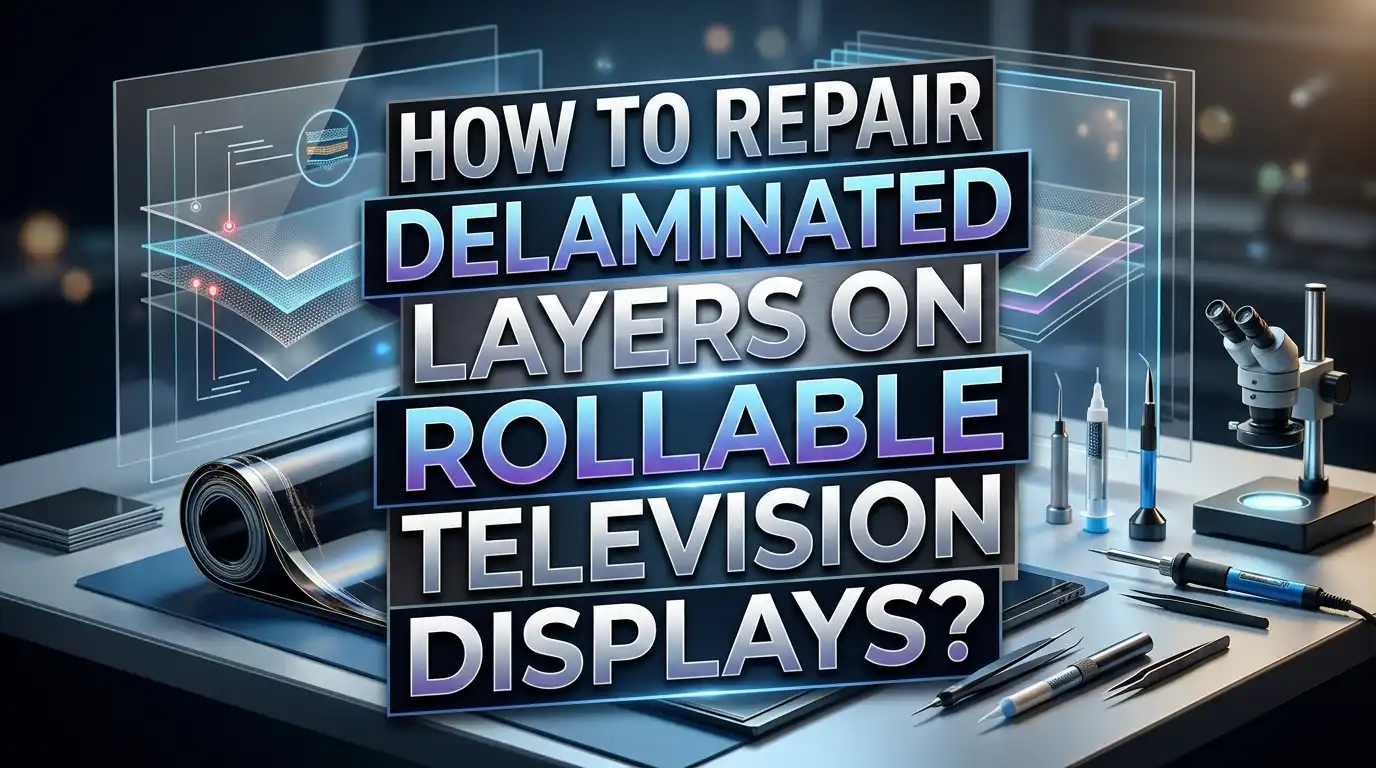
Rollable OLED displays use multiple thin film layers held together by special adhesives. These layers include the cover window, circular polarizer, AMOLED panel, and back film. Each one is bonded by an optically clear adhesive (OCA) that allows the display to flex and roll without breaking.
Over time, heat, humidity, repeated rolling cycles, and material fatigue can cause these adhesive bonds to weaken and fail.
This guide walks you through the practical steps you can take to identify, assess, and repair delaminated layers on your rollable TV display. Let us help you understand the problem, gather the right tools, and fix it with confidence.
In A Nutshell
- Rollable OLED TVs use multiple thin layers including a cover window, circular polarizer, AMOLED panel, back film, and OCA adhesive layers that bond everything together. Any of these interfaces can fail.
- The most common causes of delamination are heat exposure, humidity, repeated rolling stress, and manufacturing defects. OCA adhesive softens and degrades at temperatures above 60°C, and moisture accelerates the chemical breakdown of organic OLED materials.
- You can perform minor repairs at home using optically clear adhesive (OCA) sheets, B7000 adhesive, clamps, and microfiber cloths. However, major delamination across the active display area may require professional repair equipment like vacuum laminators.
- Prevention is just as important as repair. Keeping your rollable TV in a climate controlled room, avoiding direct sunlight, and limiting unnecessary roll cycles will extend the life of the adhesive bonds.
- Always check your warranty before attempting any repair. Rollable OLED TVs are expensive devices, and opening the display or applying adhesive may void your manufacturer coverage.
- Professional repair services can re-laminate display layers using controlled environments, UV curing equipment, and factory grade OCA. This is the safest option for severe delamination issues.
What Is Delamination On A Rollable TV Display
Delamination is a defect that occurs when one or more layers of a display begin to separate from the layers below them. A rollable OLED TV display is made of multiple stacked film layers, and each layer serves a specific function. The cover window protects the surface. The circular polarizer reduces glare. The AMOLED layer produces the image. The back film adds structural support. Between each of these rigid functional layers sits a soft adhesive layer called optically clear adhesive (OCA).
When the OCA bond weakens or fails, the layers start to pull apart. This creates visible air gaps, bubbles, or cloudy patches on the screen. In some cases, you may see a raised edge where the top layer has physically lifted away from the layer underneath. Research published in Scientific Reports confirms that OCA is the only truly flexible component in the multilayered structure of a rollable display and plays a critical role in allowing the screen to bend without damage.
Delamination can appear in different forms. You might see a small bubble near a corner that grows over time. You might notice a hazy band running along one section of the screen. In severe cases, entire sections of the display may separate, causing touch input failures and visible distortion. The problem rarely stays small once it starts because the broken adhesive bond creates uneven pressure that spreads the separation further.
Why Rollable OLED Displays Are Prone To Delamination
Rollable OLED displays face a unique set of mechanical stresses that flat panel TVs do not experience. Every time the display rolls up or rolls down, the entire film stack bends around a cylindrical roller. This rolling action creates both normal strain and shear strain across all the layers. The cover window at the outermost position experiences the highest tensile strain, while the back film at the innermost position endures compressive strain.
Research shows that OCA layers experience shear strain as high as 720% during full 360 degree rolling. While this level of deformation stays within the elastic region under normal conditions, repeated stress cycles can fatigue the adhesive over time. The organic materials inside OLED displays are also sensitive to environmental factors. High temperatures cause chemical reactions within the organic compounds to accelerate, breaking down the emissive and conductive layers.
Humidity presents another serious threat. When moisture and oxygen penetrate the encapsulation barrier, they interact with the organic layers and cause oxidation reactions. These reactions produce non emissive dark spots, reduced brightness, and color shifts. The diffusion of water vapor (H2O) and oxygen (O2) through damaged barrier layers generates defects that compound over time. For flexible and rollable OLEDs, this challenge is even greater because the thin film encapsulation must remain intact through repeated mechanical deformation.
How To Identify The Type And Severity Of Delamination
Before you attempt any repair, you need to assess the type and location of the delamination on your rollable display. Start by powering off the TV and placing it in a well lit room. Look at the display from multiple angles. Edge delamination appears as a visible lift along the borders of the screen. It often starts at one corner and spreads inward. Surface delamination shows up as bubbles or cloudy areas in the middle of the display.
Gently press the affected area with a soft cloth. If the bubble compresses and then springs back, the layers have separated but the adhesive may still be partially intact. If the bubble does not respond to pressure at all, the adhesive has fully failed in that area. Note the size of the delaminated zone. Small bubbles under 2 centimeters in diameter are generally easier to fix with home methods. Larger areas that cover more than 10% of the display surface will likely need professional repair.
Check whether the delamination is between the cover window and the polarizer, or deeper between the polarizer and the AMOLED layer. Surface level delamination between the outer layers is less risky to repair. Deeper delamination that affects the AMOLED panel itself carries a higher risk of permanent damage during repair. You should also look for discoloration or dark spots near the delaminated area. These signs suggest that moisture has entered the display stack, and a simple re-adhesion may not fully solve the problem.
Tools And Materials You Need For The Repair
Gathering the correct tools before you start the repair will prevent mistakes and protect the display from further damage. You will need the following items: a set of soft microfiber cloths, isopropyl alcohol (99% purity), optically clear adhesive (OCA) sheets cut to your display size, a plastic pry tool or thin plastic card, a small rubber roller or brayer, low lint cleaning wipes, and soft clamps with padded surfaces.
For adhesive, OCA sheets are the best option for rollable display repair because they provide uniform thickness and optical clarity without UV curing. Liquid optically clear adhesive (LOCA) is another option, but it requires UV light for curing and is much harder to apply evenly. B7000 adhesive can work for edge repairs where optical clarity is not critical. Avoid using standard super glue or epoxy. These products dry rigid and will crack during the next rolling cycle.
You also need a clean, dust free workspace. Even tiny dust particles trapped between layers will create visible defects on the display. Use a plastic storage container turned upside down as a makeshift clean area if you do not have access to a professional clean room. Wipe all surfaces with isopropyl alcohol before beginning. Disposable nitrile gloves will keep oils from your fingers off the display. A bright LED flashlight helps you inspect the repair area for trapped air bubbles or particles during the process.
How To Prepare The Display For Repair
Preparation is the most important phase of a delamination repair. Start by disconnecting the TV from all power sources. If your rollable TV has a motorized mechanism, ensure the display is fully extended and locked in the open position. You do not want the display to retract during the repair process.
Place the TV on a flat, padded surface with the screen facing up. Use a soft blanket or foam pad underneath to prevent scratching the back film. Clean the entire display surface with a microfiber cloth dampened with distilled water. Do not use window cleaners, ammonia based products, or abrasive cloths. These chemicals can damage the polarizer film and worsen the delamination. Follow up with a dry microfiber cloth to remove any remaining moisture.
Next, examine the delaminated area closely. Use a bright light source at a low angle to see the exact boundaries of the separation. Mark the edges lightly with a washable marker on the frame (not on the display surface) so you know the full extent of the repair zone. If the delamination is along an edge, you will need to carefully lift the separated layer using a thin plastic card. Never use metal tools on the display surface. Metal scratches the cover window and can puncture the thin OLED layers underneath.
How To Fix Minor Edge Delamination
Edge delamination is the most common type of layer separation on rollable displays. It typically begins at one corner where the adhesive has weakened due to repeated bending stress. The good news is that minor edge delamination is the easiest type to fix without specialized equipment.
Start by gently lifting the separated edge using a thin plastic card or a plastic pry tool. Lift it just enough to expose the failed adhesive layer underneath. Use a cotton swab dipped in isopropyl alcohol to clean away any degraded adhesive residue from both surfaces. Let both surfaces dry completely before applying new adhesive. Any moisture trapped between layers will create new bubbles.
Apply a thin, even line of B7000 adhesive along the edge where the layers separated. B7000 is commonly used in screen repair because it remains flexible after curing. This flexibility is essential for rollable displays that need to bend repeatedly. Press the separated layer back down firmly and hold it for 30 seconds. Then apply soft clamps with padded surfaces along the repaired edge. Leave the clamps in place for at least 24 hours to allow the adhesive to cure fully. After removing the clamps, inspect the repair under bright light. Look for any air pockets or gaps. If you spot small bubbles, you can gently press them toward the edge with a soft cloth.
How To Repair Surface Delamination With OCA Sheets
Surface delamination across the middle of the display requires a different approach. OCA sheets are the preferred adhesive for this type of repair because they provide uniform bonding across the entire surface area. Unlike liquid adhesives, OCA sheets do not run, drip, or pool in unwanted areas.
First, carefully separate the delaminated layer from the display stack. Use a plastic card inserted at the edge of the separation to slowly peel the layers apart. Work slowly and keep the angle of separation low. Pulling at a steep angle puts excessive stress on the thin layers and can cause permanent creasing or cracking. Once the layers are separated, clean both surfaces thoroughly with isopropyl alcohol and low lint wipes.
Cut the OCA sheet to match the exact size of the repair area. Peel the protective backing from one side of the OCA and align it carefully with the lower layer. Press it down starting from one edge and smoothing across the surface. Use a rubber roller or brayer to push out air bubbles as you go. Always roll in one direction, from the center toward the edge. Once the OCA is applied to the lower layer, remove the second protective backing and carefully lay the upper layer back into position. Use the roller again to ensure full contact between both surfaces and the OCA sheet. Allow at least 12 hours for the bond to stabilize before rolling the display.
How To Remove Old Degraded Adhesive Safely
Old adhesive that has broken down must be completely removed before you apply new bonding material. Leaving degraded adhesive in place will prevent the new OCA from forming a strong bond. It can also create uneven surfaces that trap air and cause the delamination to return.
Use isopropyl alcohol on a soft cloth to soften and dissolve the old adhesive. Apply the alcohol generously and let it sit for one to two minutes. Then gently wipe the adhesive away using straight, even strokes. Do not scrub aggressively. The polarizer film beneath the adhesive is extremely thin and can be scratched or torn. If the old adhesive is particularly stubborn, use a plastic scraper held at a very flat angle to lift it from the surface.
For liquid optical bond residue that has hardened, you may need to apply the alcohol multiple times and work in small sections. Never use acetone or paint thinner on OLED display layers. These solvents can dissolve the organic materials in the display stack and cause irreversible damage. Some repair technicians use naphtha based cleaning fluids for tough adhesive removal, but test any solvent on a tiny, non visible area first. After all old adhesive is removed, wipe the surface with distilled water and then dry it completely with a lint free cloth.
How To Handle Deeper Layer Separation Near The AMOLED Panel
Delamination that reaches the AMOLED layer is a serious issue. The AMOLED panel is the thinnest and most delicate component in the display stack, typically around 50 micrometers thick. Any physical damage to this layer will cause permanent pixel failure, dead spots, or lines on the screen.
If you suspect the delamination has reached the AMOLED layer, proceed with extreme caution. The safest first step is to stop the repair and consult a professional. Attempting to separate and re-bond layers directly adjacent to the AMOLED panel without proper equipment risks puncturing or creasing the panel. Professional repair facilities use vacuum laminators that apply even pressure across the entire surface during re-bonding. They also work in certified clean rooms where dust particle counts are controlled.
If you choose to proceed, use only OCA sheets, never liquid adhesive, near the AMOLED layer. Liquid adhesive can seep into the edges of the AMOLED panel and damage the organic emitting compounds. Apply the absolute minimum pressure needed to bond the layers. The AMOLED panel and adjacent OCA layer together are less than 75 micrometers thick. Even moderate pressure concentrated on a single point can cause permanent deformation. After re-bonding, power on the display and check for any new dead pixels, color shifts, or lines that were not present before the repair.
Why Temperature And Humidity Control Matters During Repair
The environment in which you perform the repair directly affects the outcome. OCA adhesive performs best at room temperature, between 20°C and 25°C. At temperatures below 15°C, OCA sheets become stiff and difficult to apply without trapping air. At temperatures above 30°C, the adhesive becomes overly soft and may not form a strong initial bond.
Humidity is equally important. High humidity above 60% introduces moisture into the repair area. This moisture can become trapped between layers and eventually cause new delamination or dark spots on the OLED panel. Research confirms that the diffusion of water vapor through barrier layers generates defects in OLED displays, including oxidation of the organic compounds and formation of non emissive regions. Performing repairs in a dry room with humidity below 40% will give you the best results.
Use a digital hygrometer and thermometer to monitor conditions in your workspace. If your room is too humid, run a dehumidifier for at least one hour before starting the repair. If the room is too cold, use a space heater to bring it to the optimal range. Avoid performing repairs in garages, basements, or bathrooms where temperature and humidity fluctuate significantly. These simple environmental controls can mean the difference between a repair that lasts years and one that fails within weeks.
How To Test The Display After Repair
Testing is a critical step that many people skip. Power on the rollable TV and display a full white screen first. A white background makes air bubbles, cloudy spots, and uneven adhesion easy to see. Look at the repaired area from directly in front and from several side angles. Any remaining air pockets will appear as dark or light spots against the white background.
Next, switch to a full red, green, and blue test pattern. These single color screens help you identify any color shifts or dead pixel clusters that may have resulted from the repair process. Compare the repaired area to the surrounding display. The colors should match evenly without visible boundaries or haziness. If you see a faint outline where the new OCA meets the original adhesive, give the repair another 24 hours to cure fully. The outline often disappears as the adhesive reaches its final bonding strength.
Finally, test the rolling mechanism. If your TV has a motorized roller, activate it slowly for the first cycle after repair. Watch the repaired area closely as the display bends around the roller. Any crackling sounds, visible lifting, or new bubbles mean the adhesive bond has not formed properly. Stop the rolling process immediately and re-inspect the repair. Run at least three full roll and unroll cycles before returning to normal use. This confirms that the repair can withstand the mechanical stress of daily operation.
When To Seek Professional Repair Services
Some delamination problems are beyond the scope of home repair. If the delamination covers more than 25% of the display surface, you should contact a professional service center. Large scale layer separation requires vacuum lamination equipment that applies perfectly uniform pressure across the entire screen. Home methods with clamps and rollers cannot achieve this level of evenness on large areas.
You should also seek professional help if you see dark spots or discoloration near the delaminated zone. These signs indicate that moisture has reached the organic OLED layers and triggered chemical degradation. Re bonding the layers will not reverse the damage already done to the organic compounds. A professional technician can assess whether the AMOLED panel needs replacement or if a re-lamination alone will restore the display.
Professional repair services use factory grade OCA, UV curing stations, and alignment fixtures that ensure the layers are perfectly registered. They also perform repairs in controlled clean room environments with filtered air. The cost of professional repair varies, but it is typically a fraction of the cost of replacing the entire display panel. Before choosing any repair path, check whether your rollable TV is still under manufacturer warranty. Both LG and Samsung have covered delamination under warranty in documented cases, especially when the defect was traced to manufacturing adhesive issues rather than user damage.
How To Prevent Delamination From Happening Again
Prevention is always better than repair. Keep your rollable TV in a climate controlled room where temperatures stay between 18°C and 26°C. Avoid placing the TV near windows where direct sunlight can heat the display surface. UV radiation degrades OCA adhesive over time, making it brittle in some areas and overly soft in others. Both conditions lead to bond failure.
Limit unnecessary roll and unroll cycles. Every rolling cycle applies mechanical stress to the adhesive layers. If you plan to watch TV for extended periods, leave the display in the fully extended position rather than rolling it down between short breaks. The fewer rolling cycles the display endures, the longer the adhesive bonds will last.
Avoid cleaning the display with harsh chemicals. Use only a soft, dry microfiber cloth for regular cleaning. If you need to remove stubborn marks, dampen the cloth slightly with distilled water. Never spray liquid directly onto the display surface. Liquid can seep into the edges of the film stack and weaken the adhesive bonds from within. Also avoid pressing hard on the screen during cleaning. Concentrated pressure on a small area creates stress points that can initiate delamination over time.
Run a dehumidifier in the room if you live in a tropical or humid climate. Keeping ambient humidity below 50% will significantly slow the degradation of both the adhesive and the organic OLED materials. These simple habits will protect your investment and keep your rollable display looking perfect for years.
Understanding The Cost Of Delamination Repair
The cost of fixing delamination on a rollable TV display depends on the severity and your chosen approach. A basic home repair using OCA sheets and B7000 adhesive can cost as little as $10 to $30 for materials. This covers small edge delaminations and minor surface bubbles. The trade off is time and effort, as the repair process can take several hours plus curing time.
Professional repair services charge significantly more, often ranging from $200 to $800 depending on the display size and the extent of the damage. This price includes the cost of specialized materials, clean room access, and technician labor. For rollable OLED TVs that originally cost thousands of dollars, professional repair is often a worthwhile investment. A failed home repair can worsen the damage and make subsequent professional repair more expensive.
If the delamination is caused by a manufacturing defect, your repair may be covered under warranty at no cost. Document the issue with photos and contact the manufacturer before attempting any repair. Manufacturers like LG and Samsung have customer service programs that handle display defects. Attempting a home repair before filing a warranty claim will almost certainly void your coverage. Always exhaust your warranty options first, especially if the delamination appeared within the first few years of ownership. This approach saves you money and ensures the repair is done with original components.
Common Mistakes To Avoid During Delamination Repair
Many well intentioned repairs fail because of avoidable errors. The most common mistake is using rigid adhesive on a flexible display. Super glue, epoxy, and standard construction adhesives cure hard and brittle. When the display rolls, these rigid adhesives will crack and cause even worse delamination than the original problem.
Another frequent error is rushing the curing process. OCA sheets and B7000 adhesive need adequate time to reach full bonding strength. Moving or rolling the display within the first 24 hours after repair almost always results in bond failure. Keep the display flat, clamped, and untouched for at least a full day. Patience during curing is directly related to repair durability.
Trapping dust between layers is the third most common mistake. Even a single visible dust particle will create a permanent bright spot on the display. Always clean both surfaces immediately before applying adhesive. Work in the cleanest environment available and wear nitrile gloves throughout the process. Avoid performing repairs near open windows, fans, or HVAC vents that circulate airborne particles. Also, never peel the protective backing from OCA sheets until you are ready to apply them. Exposing the adhesive surface to open air gives dust particles time to land on it.
Frequently Asked Questions
What causes delamination on rollable TV displays?
Delamination on rollable TV displays is caused by the breakdown of optically clear adhesive (OCA) that bonds the multiple film layers together. The main contributing factors are heat exposure, humidity, repeated rolling stress, UV radiation, and manufacturing defects. High temperatures soften the adhesive and weaken its bond. Humidity introduces moisture that triggers chemical reactions in the organic OLED layers. Each rolling cycle applies shear strain to the OCA, and over thousands of cycles, the adhesive can fatigue and fail. In some cases, the adhesive was not properly applied or cured during manufacturing, leading to premature separation.
Can I fix rollable TV delamination at home?
Yes, you can fix minor delamination at home using the right materials and techniques. Small edge separations and surface bubbles can be repaired with B7000 adhesive or OCA sheets, soft clamps, and basic cleaning supplies. However, large scale delamination or separation near the AMOLED panel is risky to repair without professional equipment. Home repairs work best on outer layer delamination where the risk of damaging the active display area is low. Always work in a clean, dry, temperature controlled environment for the best results.
How long does a delamination repair last on a rollable display?
The durability of a delamination repair depends on the quality of adhesive used, the repair technique, and the operating environment. A properly executed repair using OCA sheets in a controlled environment can last several years. Repairs done with B7000 adhesive on edge separations can also hold for a long time if the display is kept in stable temperature and humidity conditions. However, if the root cause of the delamination (such as excessive heat or humidity) is not addressed, the repair may fail again within months.
Is it safe to roll the display immediately after repair?
No. You should wait at least 24 to 48 hours before activating the rolling mechanism after a delamination repair. The adhesive needs time to reach full bonding strength. Rolling the display too soon applies shear stress to the freshly bonded area and can pull the layers apart again. After the curing period, run the first few rolling cycles slowly and observe the repaired area for any signs of lifting or bubble formation.
Does delamination void the warranty on a rollable TV?
Delamination itself does not void the warranty if it is caused by a manufacturing defect. Many manufacturers cover display delamination under warranty, especially in cases where the adhesive was improperly applied at the factory. However, if you attempt a home repair before contacting the manufacturer, the evidence of tampering may void your warranty coverage. Always document the delamination with photos and contact customer support before opening the display or applying any adhesive.
What is the best adhesive for repairing rollable display delamination?
Optically clear adhesive (OCA) sheets are the best choice for rollable display delamination repair. They provide uniform thickness, high optical clarity, and flexible bonding that can withstand repeated bending. B7000 adhesive works well for edge repairs where optical clarity is less critical. Avoid super glue, epoxy, or any adhesive that cures rigid. Liquid optically clear adhesive (LOCA) is another option but requires UV curing equipment and is harder to apply evenly without professional tools.

Hi, I’m Siya — the founder and writer behind Craftifyy.com. I’m a tech enthusiast who loves reviewing gadgets, comparing products, and helping people make smarter buying decisions. Got a question? Feel free to reach out!