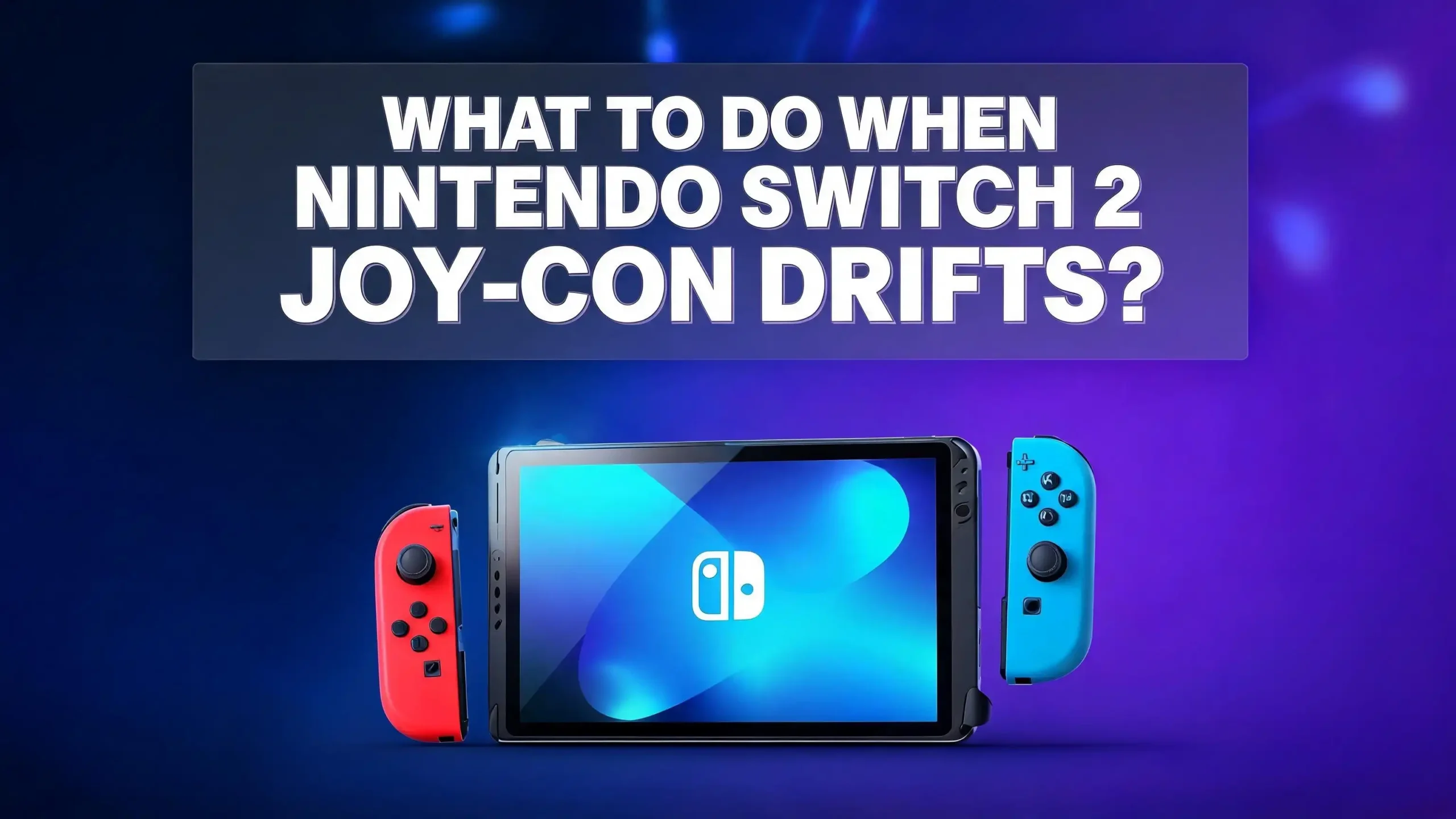
What to Do When Nintendo Switch 2 Joy Con Drifts?
You just picked up the shiny new Nintendo Switch 2, started your favorite game, and suddenly your character walks off a cliff on their own. Your camera spins without warning. Your menus scroll like they have a mind of their own. Sound familiar?
Joy Con drift is back, and it has followed gamers from the original Switch to the Switch 2. Despite Nintendo’s promises of a redesigned controller, the iFixit teardown of the Switch 2 confirmed that the new Joy Con 2 controllers still use potentiometer based joysticks. That means the same wear and tear that plagued the first generation can still happen here.
The good news? You are not stuck. There are real, practical fixes you can try right now. Some take less than five minutes. Others require a bit more effort but can solve the problem for good. This guide walks you through every option, from simple software tweaks to hardware level repairs, so you can get back to gaming without frustration.
In a Nutshell
- Joy Con drift on the Switch 2 is a real issue because Nintendo did not adopt Hall effect or TMR sensors in the new Joy Con 2 controllers. The joysticks still rely on potentiometer technology that wears down over time, making drift an expected outcome with regular use.
- Software fixes should be your first step. Updating your system firmware, updating your Joy Con controller firmware, and recalibrating the control sticks through System Settings can resolve mild drift issues instantly and cost you nothing.
- Cleaning the analog stick with isopropyl alcohol is one of the most effective and easiest physical fixes. A cotton swab dipped in 70% isopropyl alcohol, applied around the base of the joystick, removes dust and debris from the internal sensor.
- Nintendo offers free Joy Con drift repairs in many regions, including Europe, the UK, and North America, even outside the standard warranty period. You can submit a repair request through Nintendo’s official support page without paying a cent.
- Third party controllers with Hall effect or TMR sensors are a long term solution if you want to avoid drift entirely. Brands like GuliKit and 8BitDo offer Switch 2 compatible controllers that do not use potentiometers.
- Replacing the analog stick yourself is possible but requires patience and the right tools. This is a permanent fix, though it carries a small risk if you are not experienced with electronics repair.
Why Does the Nintendo Switch 2 Joy Con Drift
Joy Con drift happens when the analog stick registers movement even though you are not touching it. On the Nintendo Switch 2, this occurs because the Joy Con 2 controllers use a potentiometer based joystick design. Inside each stick, a small metal wiper slides across a strip of resistive material every time you push the stick in any direction.
Over time, that resistive material wears down. Tiny particles of dust, skin oils, and debris can also settle inside the mechanism. The sensor then sends incorrect voltage readings to the console, which the system interprets as intentional input. That is why your character walks on its own or your camera spins without reason.
Many gamers expected Nintendo to solve this problem with the Switch 2 by using Hall effect sensors, which rely on magnets instead of physical contact. However, Nintendo confirmed that the Joy Con 2 does not use Hall effect technology. The magnetic attachment system on the new Joy Cons likely creates interference that makes magnetic sensors impractical. The iFixit teardown in 2025 confirmed the Switch 2 sticks look very similar to the originals inside.
This means that drift is not a defect specific to your unit. It is a design characteristic that will affect most Joy Cons over enough use.
Update Your Console and Controller Firmware First
Before you try any physical fix, start with the simplest solution. Firmware updates can resolve controller input issues that feel like drift but are actually caused by software bugs.
Nintendo regularly releases system updates for the Switch 2 that include stability improvements and controller fixes. Multiple users on Reddit reported that updating their Joy Con 2 firmware immediately after unboxing resolved early drift symptoms.
Here is how to update your system: Go to System Settings from the HOME Menu, scroll down to System, then select System Update. The console will check for available updates and install them automatically.
To update your Joy Con controllers specifically, go to System Settings, then select Controllers and Accessories, and choose Update Controllers. Make sure the Joy Cons are attached to the console in handheld mode while you do this.
This step costs nothing and takes about two minutes. Always do this before assuming your drift is a hardware problem. Some users found their “drift” was actually a firmware glitch that disappeared with a single update.
Recalibrate Your Joy Con Control Sticks
Calibration is the next logical step and it is one that Nintendo officially recommends. The Switch 2 allows you to test and reset the way your system reads analog stick input.
Go to System Settings, then select Controllers and Accessories, and choose Calibrate Control Sticks. Fully tilt the control stick in one direction for a few seconds on the controller you want to calibrate. The system will guide you through a calibration check.
During the check, you will see a small dot on screen. If that dot moves or drifts while you are not touching the stick, your Joy Con has a drift issue. At that point, select the option to recalibrate. The system will ask you to push the stick in each direction and then rotate it in a full circle.
After calibration, put the console to sleep mode and then wake it up. You can also press the SYNC button on the Joy Con once, then press any button to reconnect it. These steps help the system register the new calibration data.
Recalibration works best for minor drift. If your stick has severe drift caused by physical wear, calibration will provide only temporary relief. But it is free, quick, and worth trying before anything more involved.
Check for Remapped Button Configurations
This is a step many players overlook. The Nintendo Switch 2 allows custom button mapping for each controller. If someone changed the input settings on your console, or if a game activated tilt controls, your stick may appear to drift when it is actually working correctly.
Look at the bottom left corner of your screen. If you see a wrench icon next to your controller indicator, that means the button configuration has been remapped. This can cause confusing behavior that mimics drift.
To fix this, go to System Settings, then Controllers and Accessories, and check for any custom mappings. You can reset the controller inputs to their default settings from this menu.
Another common culprit is in game tilt controls. Games like Mario Kart activate motion based steering that can make it seem like the stick is not responding correctly. Check the game’s settings menu and disable tilt or gyro controls if they are active.
If you have tried these steps and the drift continues, the problem is almost certainly hardware related. But ruling out software issues first saves you time and prevents unnecessary repairs. Always eliminate the simple causes before reaching for a screwdriver.
Clean the Analog Stick With Isopropyl Alcohol
This is the fix that works for the majority of Joy Con drift cases. Dust, debris, and grime build up under the joystick cap over time. Cleaning this area removes the particles that interfere with the internal sensor.
You will need a cotton swab and 70% isopropyl alcohol. Do not use water or household cleaners. Make sure the Joy Con is detached from the console and ideally has a drained battery before you begin.
Look at the base of the joystick. You will see a rubber skirt that wraps around the bottom of the stick cap. Dip the cotton swab in isopropyl alcohol and gently press it against this rubber skirt, working the alcohol underneath. Move the swab around the full circumference of the stick.
Once you have applied the alcohol, rotate the joystick slowly in full circles for about 30 seconds. This helps spread the alcohol across the internal sensor contacts. Then let the Joy Con sit for at least 15 minutes to allow the alcohol to fully evaporate.
After drying, reattach the Joy Con and test the calibration. Many users find that this single cleaning session eliminates drift completely. Repeat this process every few months as preventive maintenance to keep your Joy Cons responsive.
Use Electrical Contact Cleaner for Stubborn Drift
If isopropyl alcohol did not fully resolve the drift, an electrical contact cleaner is the next step up. These products are designed to dissolve residue on electronic contacts without damaging delicate components.
Electrical contact cleaner comes in a spray can with a thin straw nozzle. This straw lets you direct the cleaner precisely under the rubber skirt of the joystick. Lift the skirt gently with a toothpick or small plastic tool, then spray two to three short bursts under the cover.
After spraying, move the joystick in all directions and rotate it in circles for about a minute. This distributes the cleaner across the internal sensor. Let the controller dry for at least 20 minutes before testing.
Multiple Switch community members have reported that contact cleaner works where isopropyl alcohol alone did not. The cleaner dissolves built up oxidation and residue that alcohol cannot always reach.
One important warning: never use WD 40 or other general purpose lubricants. These products leave an oily film that attracts more dust and can damage plastic components. Use only products labeled specifically as electrical or electronic contact cleaner. Check that the product is safe for use on plastics and rubber before applying it.
Adjust In Game Dead Zone Settings
Some Switch 2 games allow you to set a dead zone for the analog stick. A dead zone is a small area around the stick’s center position where input is ignored. Increasing this dead zone can mask minor drift without any physical repair.
Check the settings menu of the game you are playing. Look for options labeled controller settings, analog stick sensitivity, or dead zone adjustment. Increase the dead zone value slightly. This tells the game to ignore small, unintended movements near the center of the stick.
This is not a permanent fix. It does not repair the underlying wear on the joystick sensor. But it is an effective temporary workaround that keeps your games playable while you decide on a more lasting solution.
The trade off is reduced sensitivity. A larger dead zone means you need to push the stick farther before the game registers input. For casual games, this is barely noticeable. For competitive or precision games, it may affect your performance. Adjust the dead zone to the smallest value that still eliminates your drift symptoms.
Not every game offers this option, but many modern titles do. It is worth checking before you send your Joy Con in for repair.
Send Your Joy Con to Nintendo for Free Repair
Nintendo has acknowledged Joy Con drift as a persistent issue and offers free repair services in multiple regions. This applies to both the original Switch Joy Cons and the new Joy Con 2 controllers.
In Europe, the UK, and Switzerland, Nintendo repairs Joy Con drift at no charge regardless of warranty status. This means even if your Joy Con 2 is well past the standard warranty period, Nintendo will fix the drift for free. The company’s official support page states this explicitly.
In North America, Nintendo has been offering free Joy Con drift repairs since 2019. Reports from users confirm that this policy extends to the Switch 2 Joy Con 2 controllers as well. You can submit a repair request through Nintendo’s support website.
The process is straightforward. Visit Nintendo’s support page, describe the issue, and follow the instructions to ship your Joy Con. Do not send the console itself. Nintendo only needs the affected controller. Turnaround times vary, but most users receive their repaired Joy Con back within one to three weeks.
This is the safest option if you are uncomfortable opening your controller. Nintendo’s technicians handle the repair professionally, and it preserves your warranty. The only downside is the wait time during which you cannot use that Joy Con.
Try the Paper Shim Temporary Fix
This is a well known community fix that has helped many Switch owners deal with mild drift. It involves placing a small piece of paper or cardboard under the joystick’s sensor to adjust the pressure on the contact points.
To do this, you will need to open the Joy Con. Remove the four screws on the back panel using a tri point screwdriver. Carefully lift the back cover and locate the joystick module. You will see a small metal bracket that holds the sensor in place.
Cut a tiny square of paper, roughly 3mm by 3mm, and place it between the sensor and the bracket. This adds slight pressure that can push the sensor contacts back into proper alignment.
Reassemble the Joy Con, screw the back panel on, and test the calibration. Many users report that this fix resolves mild drift for several months. It is not a permanent solution because the paper can shift or compress over time, but it buys you time.
This fix is best suited for people who are comfortable opening small electronics. If you have never disassembled a controller before, consider watching a video guide first. The internal ribbon cables are fragile, and pulling them too hard can cause permanent damage.
Replace the Analog Stick Module Yourself
For a permanent fix, you can replace the entire joystick module inside the Joy Con 2. This removes the worn out potentiometer and installs a fresh one. Replacement stick modules are available from multiple online retailers.
You will need a tri point screwdriver, a small Phillips screwdriver, a plastic spudger, and tweezers. The process takes about 15 to 30 minutes depending on your experience level.
Start by removing the back panel screws. Carefully disconnect the ribbon cables inside. Locate the joystick module, which is secured by a small metal plate and screws. Remove the plate, unclip the joystick’s ribbon cable from the board, and lift the old module out. Place the new module in the same position, reconnect the ribbon cable, and reassemble.
If you want to avoid drift entirely, look for replacement modules that use Hall effect or TMR sensor technology. Third party manufacturers like GuliKit produce joystick modules that are compatible with Nintendo Joy Cons and eliminate potentiometer wear. These cost more than standard replacements but offer significantly longer life.
Be aware that opening your Joy Con may void Nintendo’s warranty, although consumer protection laws in many regions prevent companies from refusing warranty service solely because a device was opened. Proceed at your own comfort level and keep your workspace clean and organized.
Consider a Third Party Controller
If Joy Con drift keeps returning and you want a long term solution, a third party controller may be the answer. Several manufacturers now produce Switch 2 compatible controllers that use Hall effect or TMR sensors, making them far more resistant to drift.
The GuliKit KK3 Max is a popular choice among Switch 2 owners. It features Hall effect joysticks, interchangeable button caps, and strong battery life. The 8BitDo Pro 3 is another well regarded option that offers a PlayStation style stick layout at a competitive price point.
These controllers connect to the Switch 2 wirelessly and support most features. However, third party controllers do not attach magnetically to the console like Joy Con 2 controllers do. You cannot use them in handheld mode as a replacement for attached Joy Cons.
For docked or tabletop play, a Hall effect controller is the most drift resistant option available. You still get full wireless functionality, gyro controls in most cases, and a comfortable grip that many players prefer over the smaller Joy Con design.
Keep your original Joy Cons for portable play and use a third party controller at home. This approach reduces wear on your Joy Cons and gives you a drift free experience during longer gaming sessions.
Prevent Joy Con Drift From Happening Again
Prevention is easier than repair. A few simple habits can extend the life of your Joy Con 2 sticks and delay or prevent drift from developing.
Store your Switch 2 in a case when you are not using it. Dust and pocket lint are among the biggest contributors to drift. A case keeps debris away from the joystick openings. Even a simple soft pouch makes a noticeable difference.
Avoid pressing the stick too hard during intense gameplay. Aggressive inputs accelerate the wear on the internal resistive strip. Relaxing your grip slightly does not affect your performance but reduces mechanical stress on the potentiometer.
Clean your Joy Cons regularly. You do not need to wait for drift to appear. A quick wipe around the base of the joystick with a dry microfiber cloth every week removes surface debris before it can enter the mechanism. A deeper cleaning with isopropyl alcohol every two to three months keeps the internal sensor clear.
Keep your firmware updated. Nintendo continues to release controller updates that improve how the system reads stick input. These updates can adjust sensitivity thresholds and compensate for minor wear, reducing the chance that normal aging triggers noticeable drift.
When to Give Up and Buy a Replacement Joy Con
Sometimes a Joy Con is beyond saving. If you have tried every fix on this list and the drift persists or returns within days, the internal sensor is likely too worn to repair with cleaning alone.
At that point, your options are to replace the stick module yourself, send it to Nintendo for repair, or purchase a new Joy Con 2. Nintendo sells individual Joy Con 2 controllers, though availability varies by region and color.
Before buying a replacement, check whether Nintendo’s free repair program covers your situation. In most cases, sending the Joy Con in costs you nothing and gets you a fully functional controller in return. This is almost always a better value than buying new.
If you do purchase a new Joy Con 2, keep the drifting one as a spare parts unit. The shell, buttons, battery, and other components are still useful for future repairs. Nothing inside a drifting Joy Con is dangerous or broken beyond the stick sensor itself.
Also consider the timing of your purchase. Nintendo occasionally releases special edition Joy Cons alongside major game launches. If you need a replacement anyway, waiting a few weeks for a limited edition color can make the purchase feel less like a forced expense and more like an upgrade.
Frequently Asked Questions
Does the Nintendo Switch 2 still have Joy Con drift problems?
Yes. The Nintendo Switch 2 Joy Con 2 controllers still use potentiometer based joystick technology. The iFixit teardown confirmed that the internal design is very similar to the original Switch Joy Cons. While Nintendo says the sticks have been redesigned for improved durability, the core mechanism that causes drift remains the same. Drift may take longer to appear on the Switch 2, but it is still possible with extended use.
Will Nintendo fix my Switch 2 Joy Con drift for free?
In many regions, yes. Nintendo offers free Joy Con drift repairs in Europe, the UK, Switzerland, and North America regardless of warranty status. You can submit a repair request through Nintendo’s official support website. You only need to send the affected Joy Con, not the console. Turnaround times vary but typically range from one to three weeks.
Can I use a Pro Controller to avoid Joy Con drift on Switch 2?
A Pro Controller reduces wear on your Joy Cons because you use them less. However, the official Nintendo Switch 2 Pro Controller also uses potentiometer based sticks and can develop drift over time. Third party controllers with Hall effect sensors, such as the GuliKit KK3 Max, are more resistant to drift and a better choice if avoiding drift is your primary goal.
How often should I clean my Joy Con to prevent drift?
A light surface cleaning with a dry microfiber cloth once a week helps keep debris away from the joystick mechanism. A deeper cleaning with 70% isopropyl alcohol every two to three months is recommended for active players. Regular maintenance significantly extends the time before drift symptoms appear.
Is it safe to open my Joy Con 2 for repair?
Opening a Joy Con 2 is safe if you use the correct tools and handle the internal ribbon cables carefully. You need a tri point screwdriver and a steady hand. The main risk is damaging the thin ribbon cables that connect the joystick and buttons to the circuit board. Follow a video guide your first time and work slowly. In many regions, opening your controller does not legally void your warranty, though Nintendo may inspect for signs of user modification.
Why didn’t Nintendo use Hall effect sensors in the Switch 2?
Nintendo confirmed that the Joy Con 2 does not use Hall effect sensors. The most likely reason is that the new magnetic attachment system for connecting Joy Cons to the console would interfere with the magnets used in Hall effect joystick sensors. Hall effect technology is also more expensive per unit. Nintendo stated that the Joy Con 2 sticks were redesigned from the ground up with improvements to durability and smoothness, but the company did not change the fundamental sensor technology.

Hi, I’m Siya — the founder and writer behind Craftifyy.com. I’m a tech enthusiast who loves reviewing gadgets, comparing products, and helping people make smarter buying decisions. Got a question? Feel free to reach out!